Listen and repeat
A piano melody memory game: listen to a short melody, then play it back on a MIDI keyboard or on screen. It grows by one note each round.
A melody that grows by one note
Listen and repeat is a melody memory game. The app plays one note and you play it back. The next round adds a second note, then a third, until the melody is as long as the level asks for. Every melody starts on the root of the scale in use and moves around inside that scale.
The game exercises melodic memory: you hear a short tune, keep it in your head and find it on the keys. It lives on its own page, Listen and repeat, and the full rules are in Melodies help. The setting that asks for each chord several times in a row is a different feature: Play each chord three times.
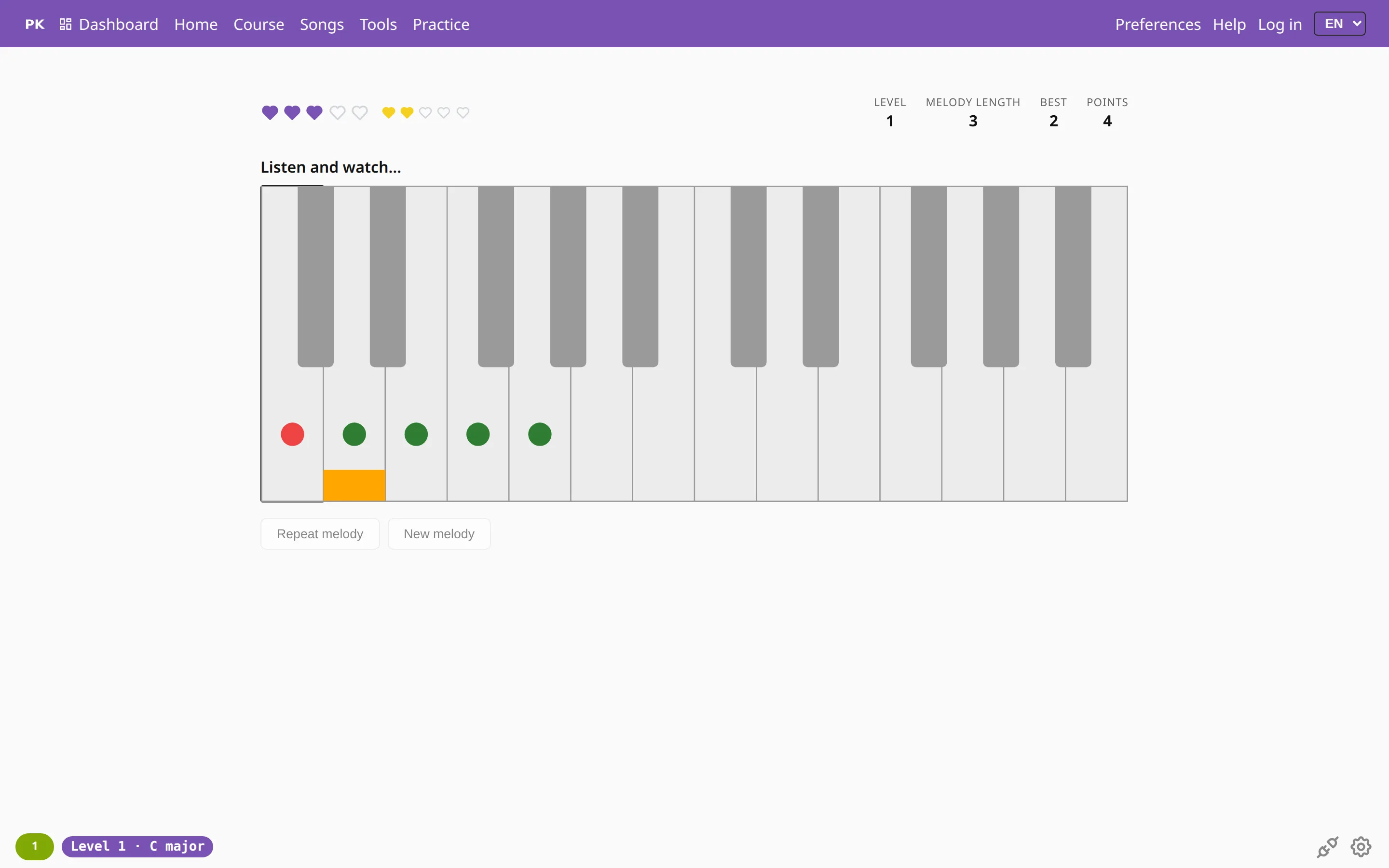
How do you play the melody back?
Press Ok, start (or Space) and the app plays the melody, lighting each key as its note sounds. While it plays, the keyboard turns gray and every press is ignored, with no sound and nothing counted. When the last note has finished, the status line says Your turn!, the keys get their colors back and you play the melody from its first note.
There are two ways to play it:
- On a MIDI keyboard. Connect it as described in Plug your piano in, and the keys you press also show as pressed on the screen.
- On the on-screen keyboard. Click the keys with a mouse or tap them on a touch screen. This works without a piano, and on an iPhone or iPad, where browsers do not support MIDI (see Works in your browser).
The keyboard covers two octaves, from middle C (C4) to B5. A MIDI note outside that range is ignored, and the game tells you which keys to use.
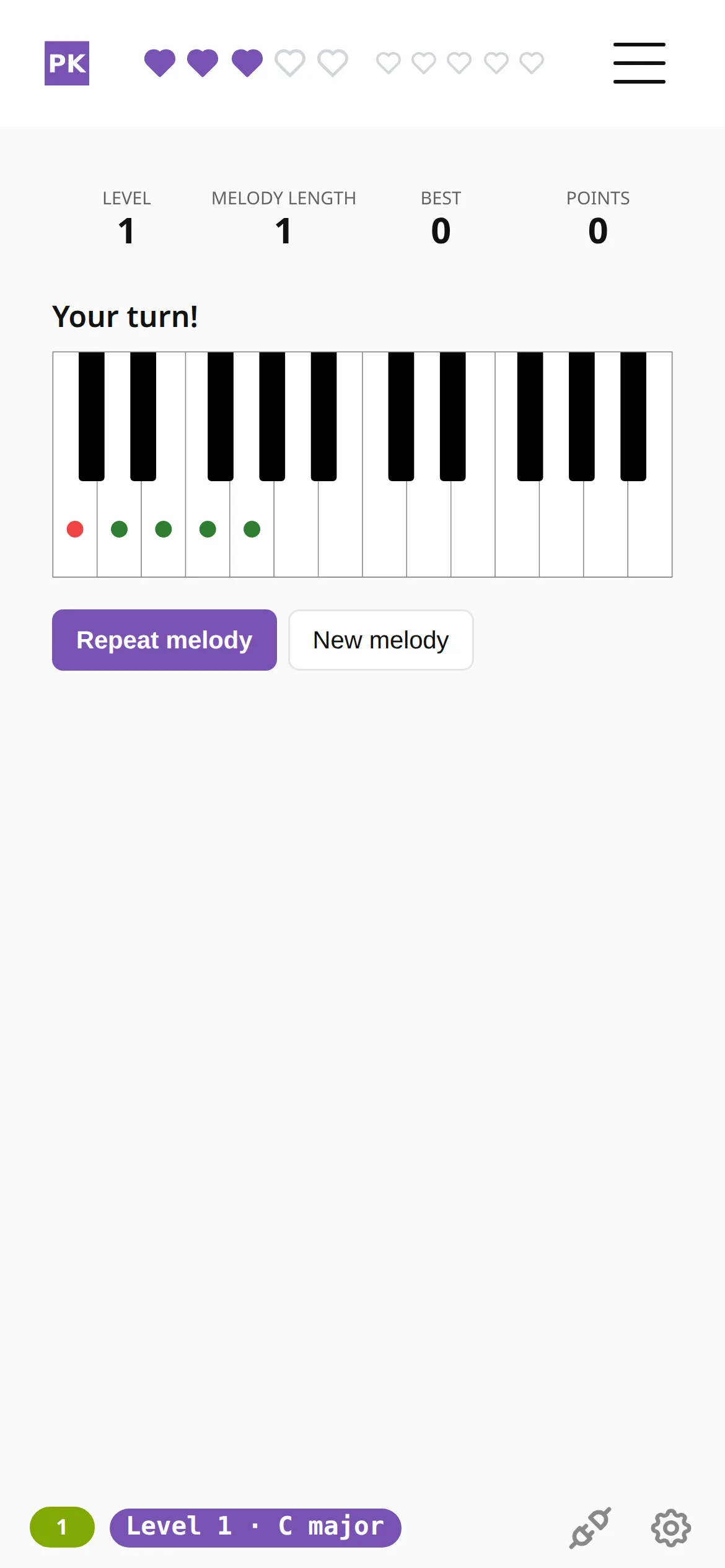
Repeat melody plays the same melody again at no cost. New melody starts over with a new one-note melody. Both work only on your turn. To stop a game, just leave the page. More about the app on a phone.
| R | Repeat melody |
| N | New melody |
| Space | Start the game; on your turn, repeat the melody |
| P | Open the Melodies settings |
The drills in Practice away from the piano need no instrument either. Ear training is the chord version of listening: the app plays a chord and you name it.
What happens after a wrong note?
You start with three purple hearts, which are your lives, and an empty row of yellow ones. Each correct round adds a yellow heart, and five yellow hearts turn into one purple heart, up to five. A wrong note costs one purple heart and empties the yellow row.
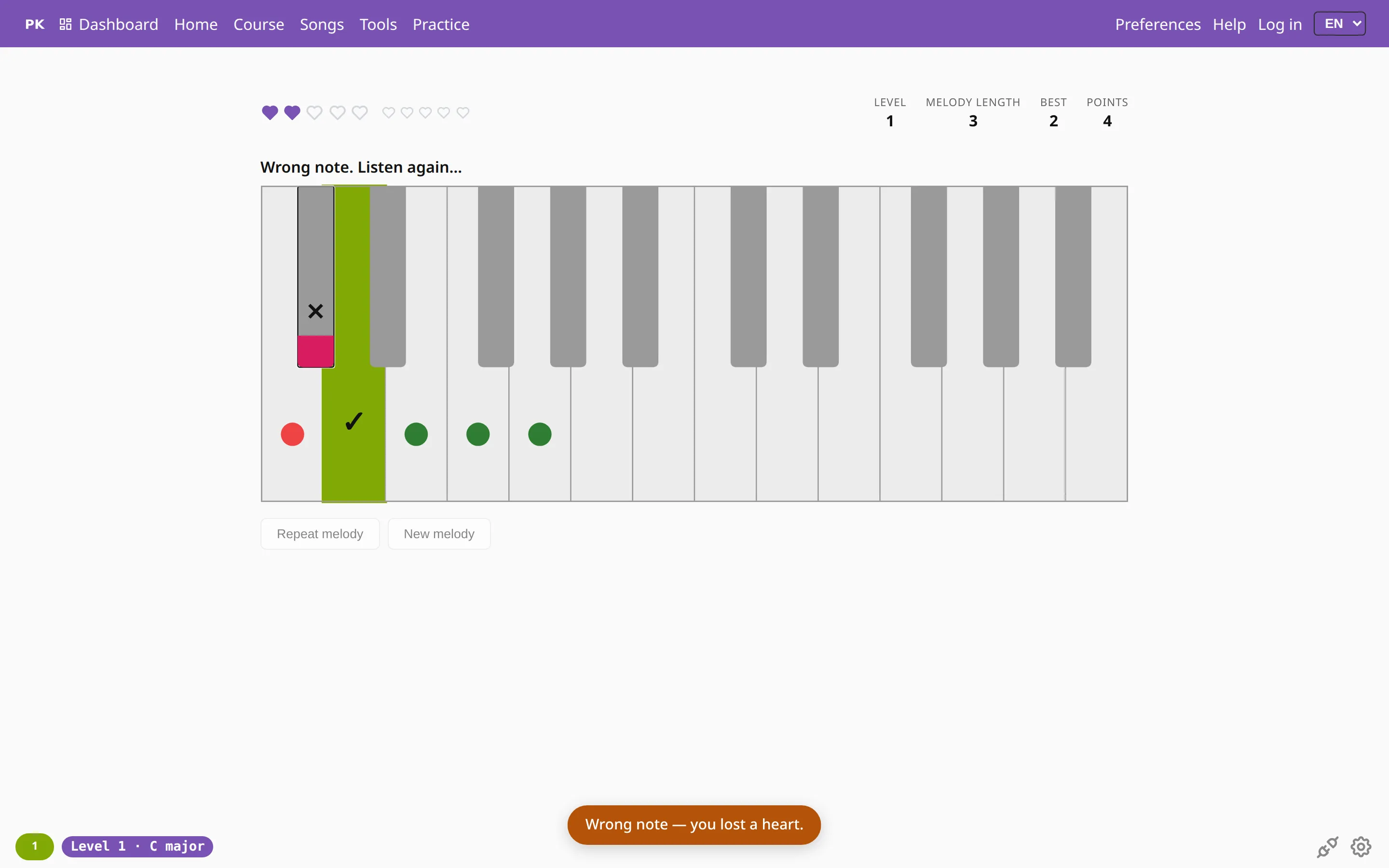
A wrong note ends the attempt at once. The key you pressed gets a ✕ and a red strip at its tip (pink in some themes), the key you should have played turns green with a ✓, and a message says you lost a heart. A moment later the same melody plays again and you try once more. The ✕ and ✓ say the same thing as the colors. With ear mode on, the right key is not shown.
When the last purple heart is gone the game is over. The level starts again from a one-note melody and the points go back to zero. The board that appears offers Try again, the dashboard or a change of settings.
How do the levels work?
There are 15 levels. Level 1 is C major on five keys, and the melody moves by at most one scale step at a time. You clear it when the melody has five notes. Later levels add one difficulty at a time: wider leaps, the full octave, a minor scale, black keys, any key, other scales and two octaves. Level 15 uses every scale across two octaves, and the melody has to reach ten notes. From level 16 there is no target length and no limit on leaps.
When the melody reaches its target length, a board shows your accuracy. At 90% or more it suggests the next level, and below that it suggests replaying this one. Small dots on the keys mark the notes the melody can use, and the root has its own color.
The game starts at the highest level you have reached. Start from level on the Melodies tab lets you begin lower, for this visit only. To look at a later level without clearing the earlier ones, open it directly: level 7 (G major, the first black key), level 11 (major in a random key) or level 14 (two octaves, blues, Dorian or Mixolydian in a random key). A level opened this way is a playtest, marked on the screen, and nothing from it is saved.
Can I choose the key and the scale?
Yes. The settings live on the Melodies tab of Preferences, not on the game page. The gear and the level label in the footer, the Preferences link in the menu and the P key all open it, and leaving the game stops a running round. Press Ok, start there to play with the new settings.
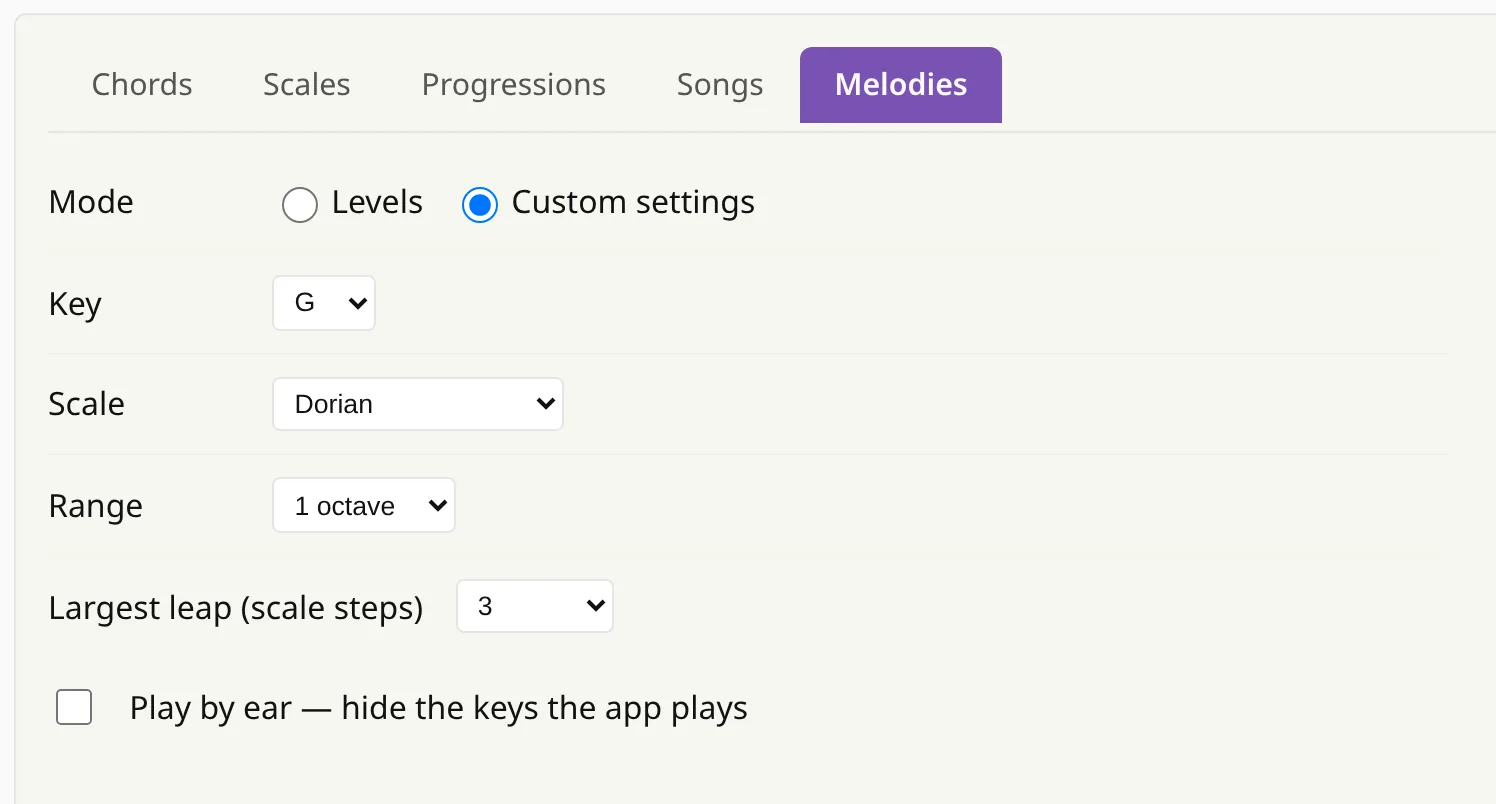
- Custom settings switch the levels off. You pick the key (any of 12), the scale (one of 11 scales, from major to Phrygian dominant), the range (5 notes, 1 octave or 2 octaves) and the largest leap (1 to 7 scale steps, or no limit). There is no target length, so the game goes on until you run out of hearts or collect them all.
- Play by ear hides the keys the app plays: they do not light up, and after a wrong note the right key is not shown. Points double for a round only if every playback of its melody, repeats after a wrong note included, was played this way.
A setup is a link, so you can bookmark it or send it. G Dorian, 1 octave, leaps up to 3 opens the setup in the picture. Nothing is stored until you press Ok, start.
The tempo is yours. The app plays the melody with the pauses between notes copied from your last correct answer, kept between 0.15 and 2 seconds, and uses 0.67 seconds where it has no timing yet.
Each correct round scores points. Longer melodies, more keys in play and wider allowed leaps score more, and a new longest melody, from four notes up, counts twice.
Is my progress saved?
Yes. The level you have reached, your longest melody and your best score are stored in your browser, and a new visit starts at the level you reached. Clearing the highest level you have reached unlocks the next one.
When you are logged in, each finished game with at least one answer is also saved to your account: a cleared level, a game over, or a game you stop by leaving. Your level and records are then the same on every device, with the higher value winning. Without an account they stay in this browser.
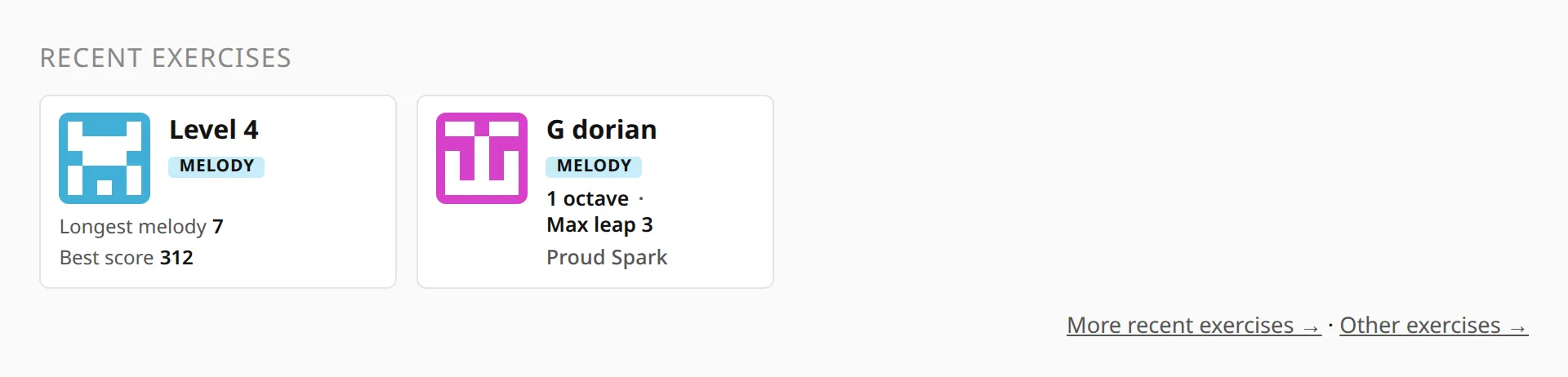
Once you have played, the dashboard shows Melodies among the recent exercises. The level ladder is one card: Level with a number, your Longest melody and your Best score. Each custom setup you start gets its own card with its key, scale and range, and a card opens that setup again.
Common questions
What is the Listen and repeat game?
It is a piano melody memory game. The app plays a short melody, you play it back, and the melody grows by one note each round. A wrong note costs a heart.
The rules are in Melodies help, and the game opens in one click.
Is the game free?
Yes. Anyone can play it, with or without an account. An account only saves your level and records so they follow you to other devices.
Can I play without a MIDI keyboard?
Yes. Click or tap the on-screen keys, which also works on a phone, an iPhone and an iPad. With a MIDI keyboard, connect it first and your key presses show on the screen too.
The game uses two octaves, from C4 to B5. See Plug your piano in for the MIDI setup.
How many levels are there?
There are 15 levels, then an endless one. Level 1 is C major on five keys, and each level adds one difficulty. From level 16 there is no target length and no limit on leaps.
The whole ladder is in the level table.
What does play by ear do?
Play by ear hides the keys the app plays, so you hear the melody without seeing it. Points double for a round if every playback of its melody was by ear.
Switch it on in the Melodies tab of Preferences.
Can I practice in a specific key and scale?
Yes. In the Melodies tab of Preferences, choose Custom settings, then pick one of 12 keys, one of 11 scales, a range and the largest leap. For example G Dorian over one octave.
Details are in Melodies help.