Your public profile
A page with your name on it that shows your streak, your friends and the coins you have earned by practicing, plus a QR code that takes a friend straight to it.
Your practice, at a glance
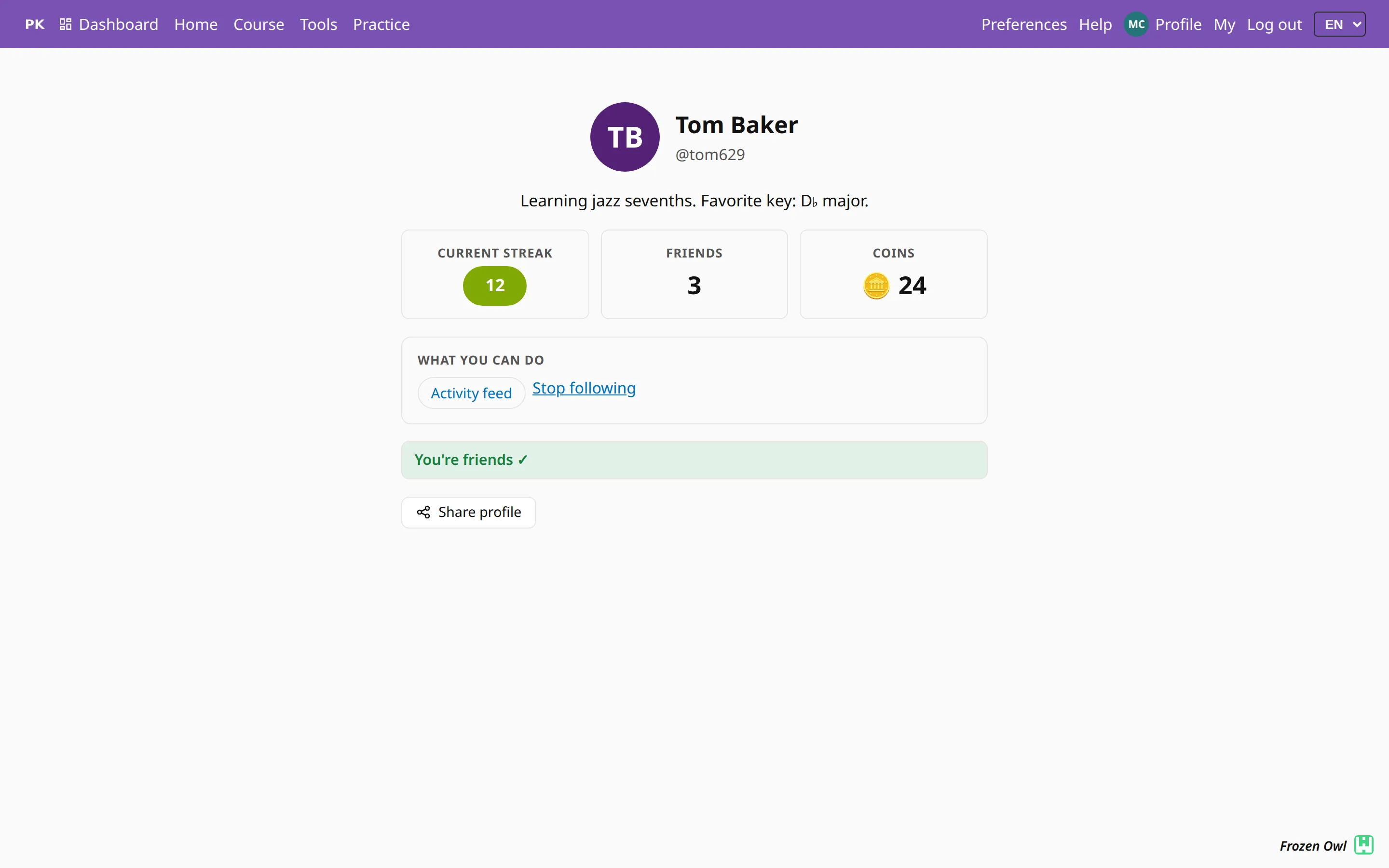
Every account has its own page at /u/your-name. It shows your name, your handle and a line about what you are working on, followed by three numbers:
- Current streak — how many days in a row you have practiced. It turns green once today’s practice is done.
- Friends — how many people you practice with.
- Coins — your reputation, earned only by playing: a coin for each day you practice, another when you meet your daily goal, and one for every exercise you complete for the first time.
None of these can be bought or typed in, so a long streak and a pile of coins mean the person has really been practicing.
What your teacher sees
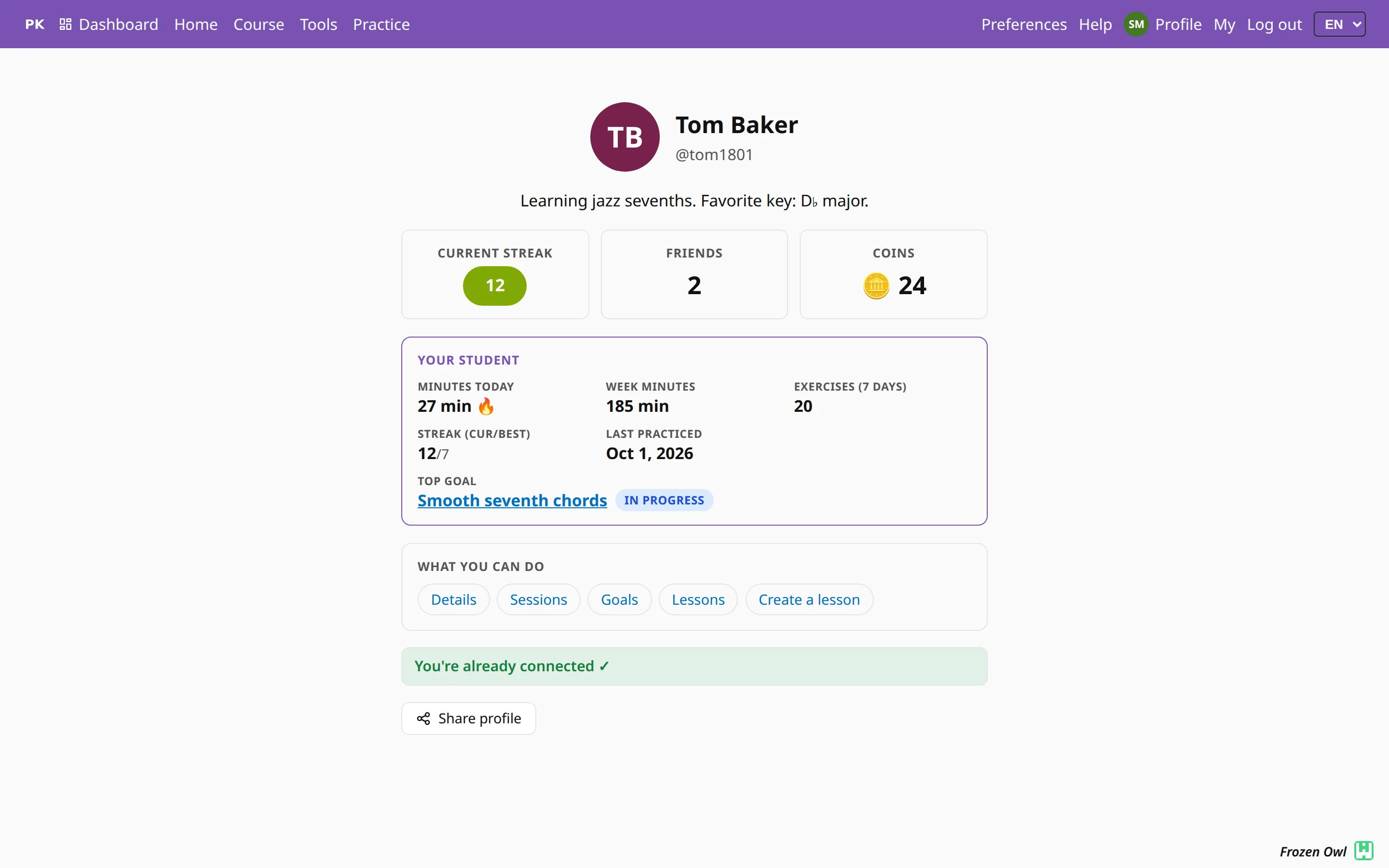
When your teacher or parent opens the same page, they also see a card nobody else gets: minutes today and this week, exercises finished, your best streak, when you last practiced, and the goal you are working toward. Below the card are links to your sessions, goals and lessons, and a button to plan the next lesson.
A teacher can check it just before your lesson starts. See also for parents and lesson planning.
Make friends with a QR code
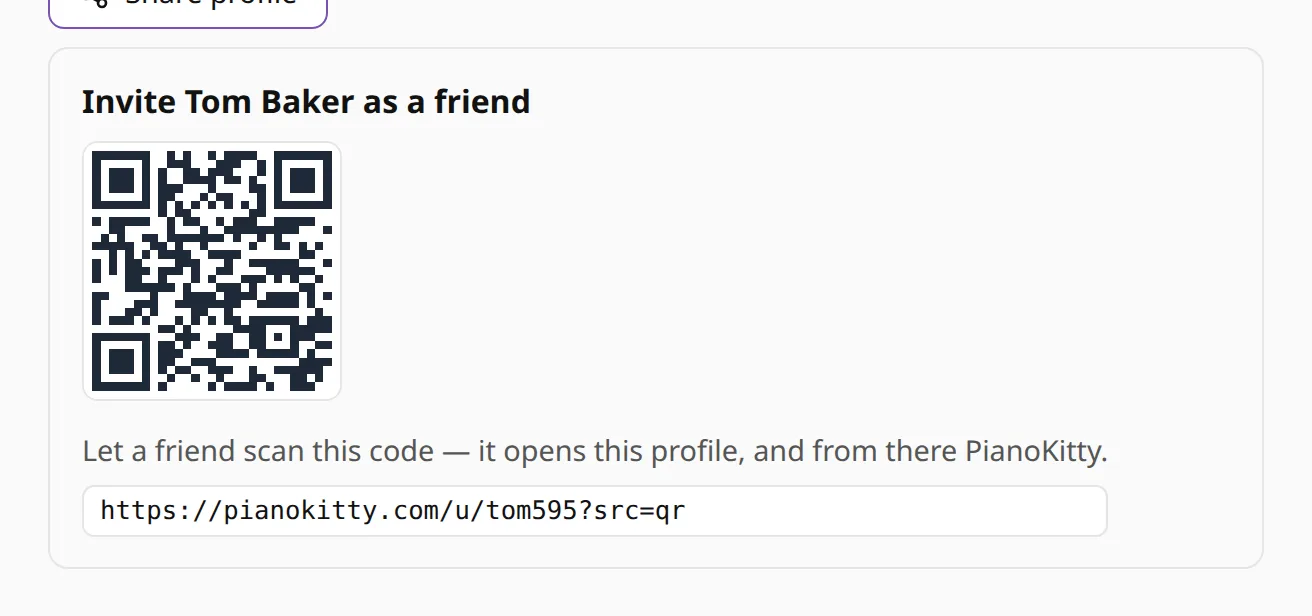
Share profile shows a QR code for your page. Someone from your lesson or rehearsal scans it with their phone and lands on your profile. From there they can send you a friend request with one tap, or sign up first if they do not have an account yet.
You decide what it shows
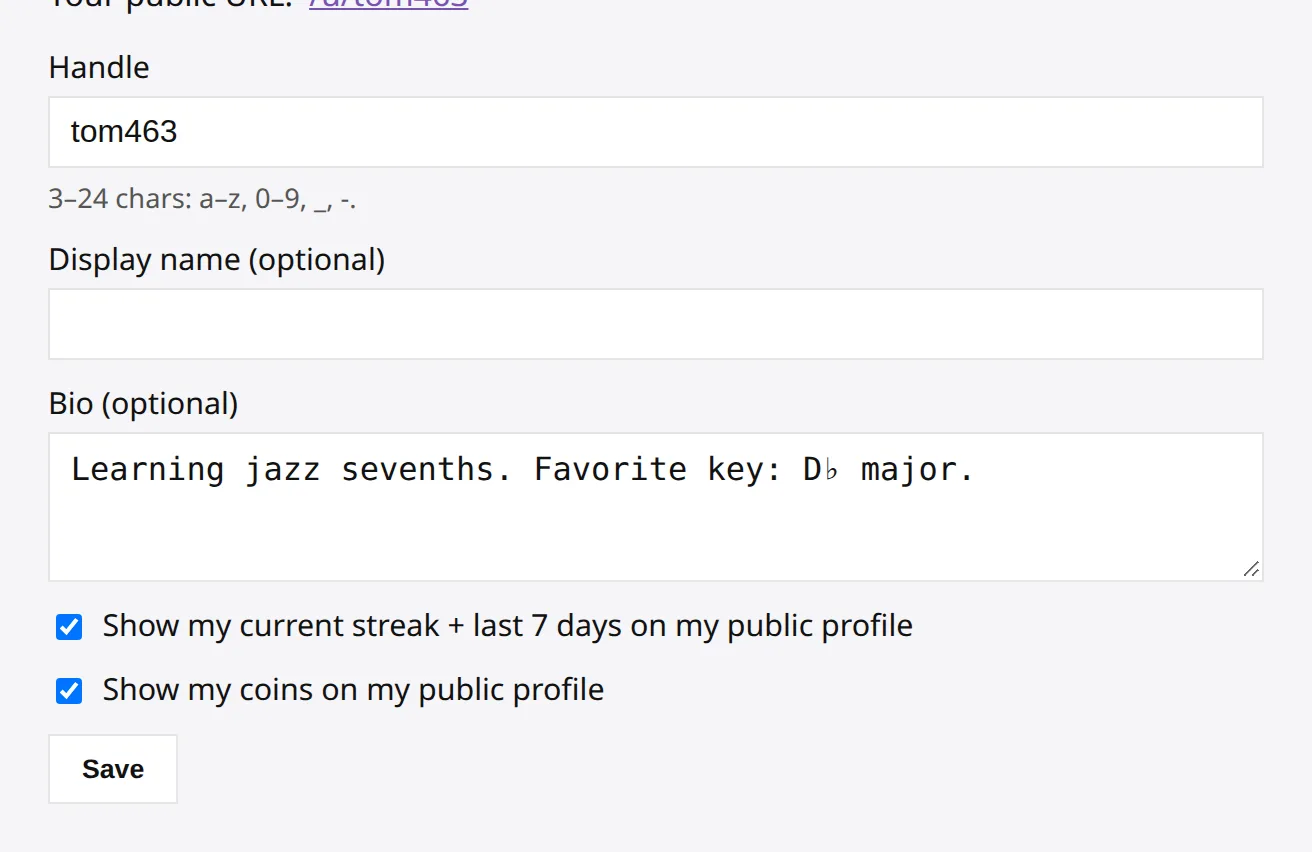
You choose your handle, the name people see and a short bio. Two switches decide the rest: one shows or hides your streak and last seven days, the other your coins. The switches apply to everyone except your teacher and parents, who see whatever your connection with them shares.
Profiles are hidden from search engines; the page is meant for the people you share it with.