Daily streaks
The app counts the days you practice in a row, can remind you at the hour you usually practice, and charts your practice time day by day.
Days in a row
Practice today and the counter goes up; skip a day and it starts over. A streak you do not want to lose can be enough to get you to the piano on an evening when you do not feel like it.
The page keeps two numbers: your current streak and your best one so far, which gives you a record to beat.
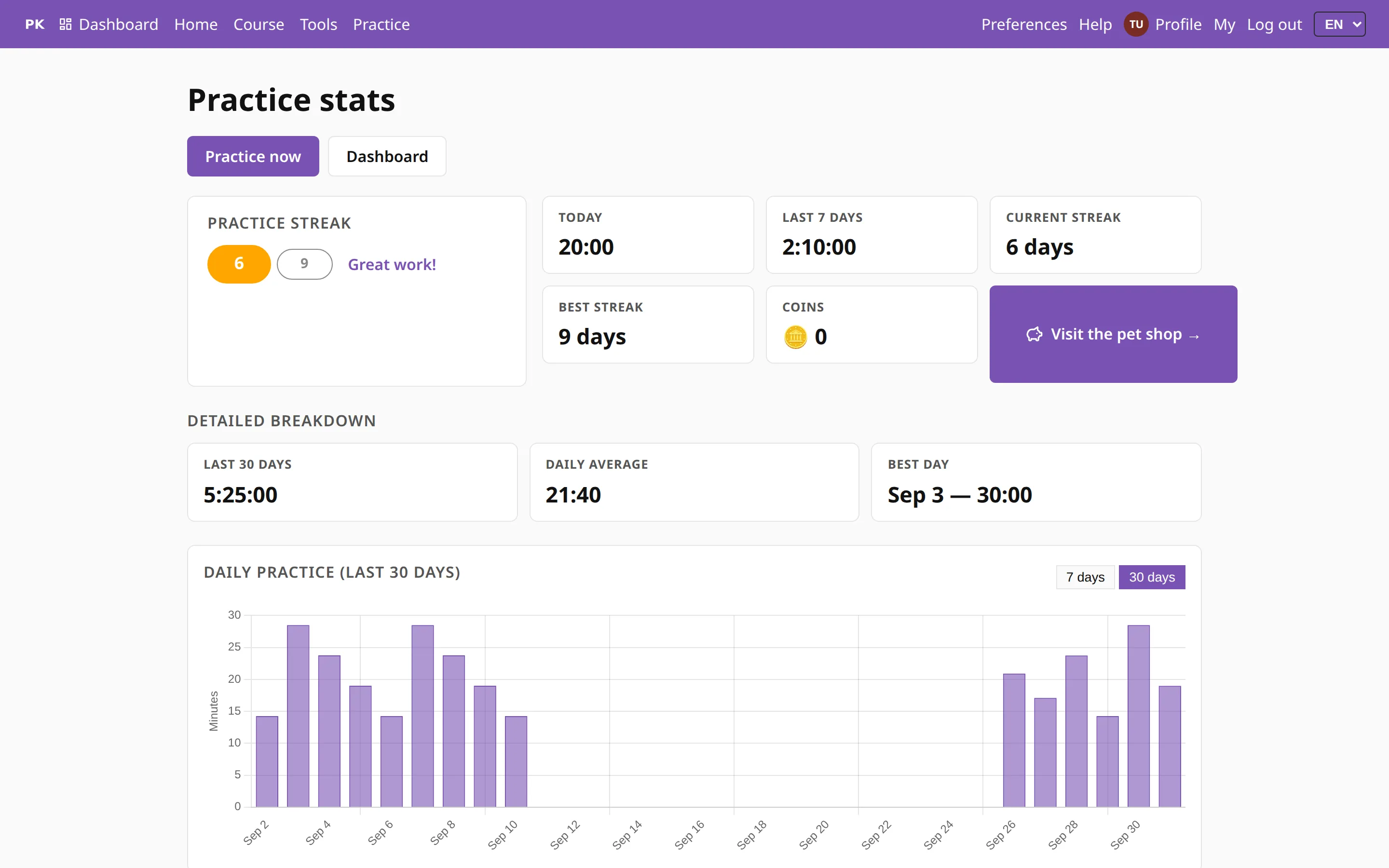
The practice stats
Besides the streak, the stats page shows your time today and over the last seven and thirty days, your daily average and your best day, with a bar for each day, so you can check whether it really was a good week.
Your coins are here too. You earn them by practicing and spend them in the pet shop.
A reminder, if you want one
One busy evening is enough to break a streak, so PianoKitty can remind you. There are two channels, both off until you turn them on: a notification on this device while your streak is running, and an email later in the day or after a few days away.
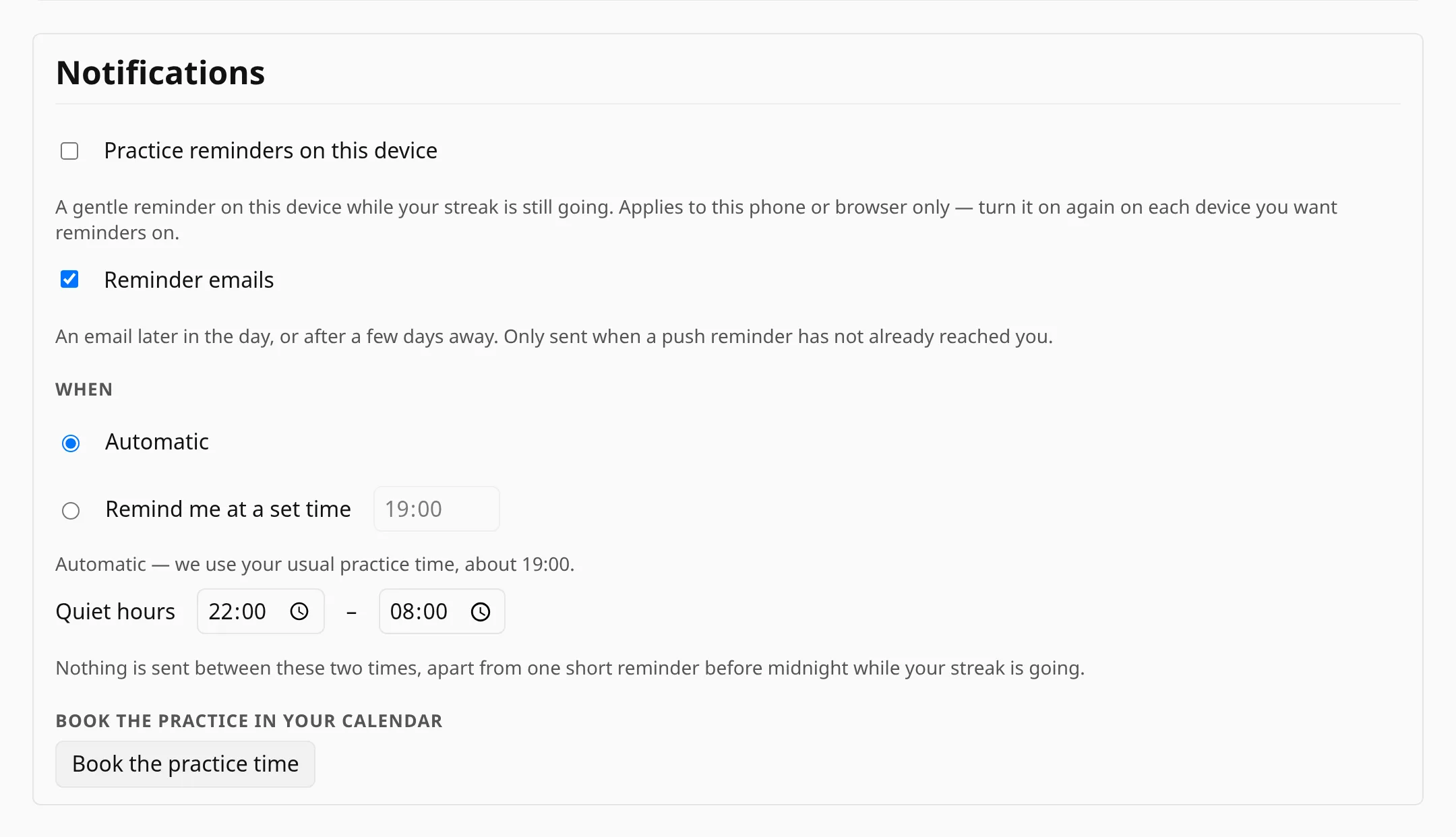
The notification setting is stored separately on each device, so the tablet by the piano can remind you while your work laptop stays quiet.
When reminders arrive
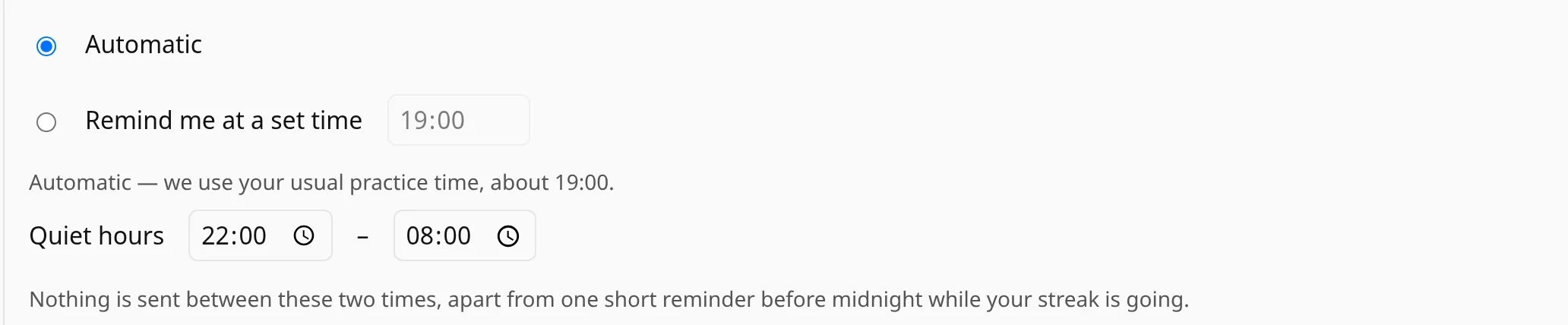
Leave the timing on automatic and the app works out when you usually practice and reminds you around then, or set an exact time yourself. Either way, quiet hours hold reminders back overnight, so nothing arrives at half past two in the morning.
On an iPhone or iPad, notifications work only after you add the app to the home screen, and the settings page shows you how. Email reminders work on every device.