Goals
The teacher sets each student's goals and moves them through four stages. The student and their parents see the same goals and stages.
Set by the teacher, in order of importance
The teacher writes down goals for each student, such as “smooth seventh chords”, “both hands, slowly” or “sight-read eight bars a day”. Each goal has a name and a description with the details: what to play, how fast, which pages. Drag the goals into order; the one at the top is what matters most right now.
Exercise links in the description become practice cards on the student’s page while the goal is being worked on, so the homework is one click away from the goal.
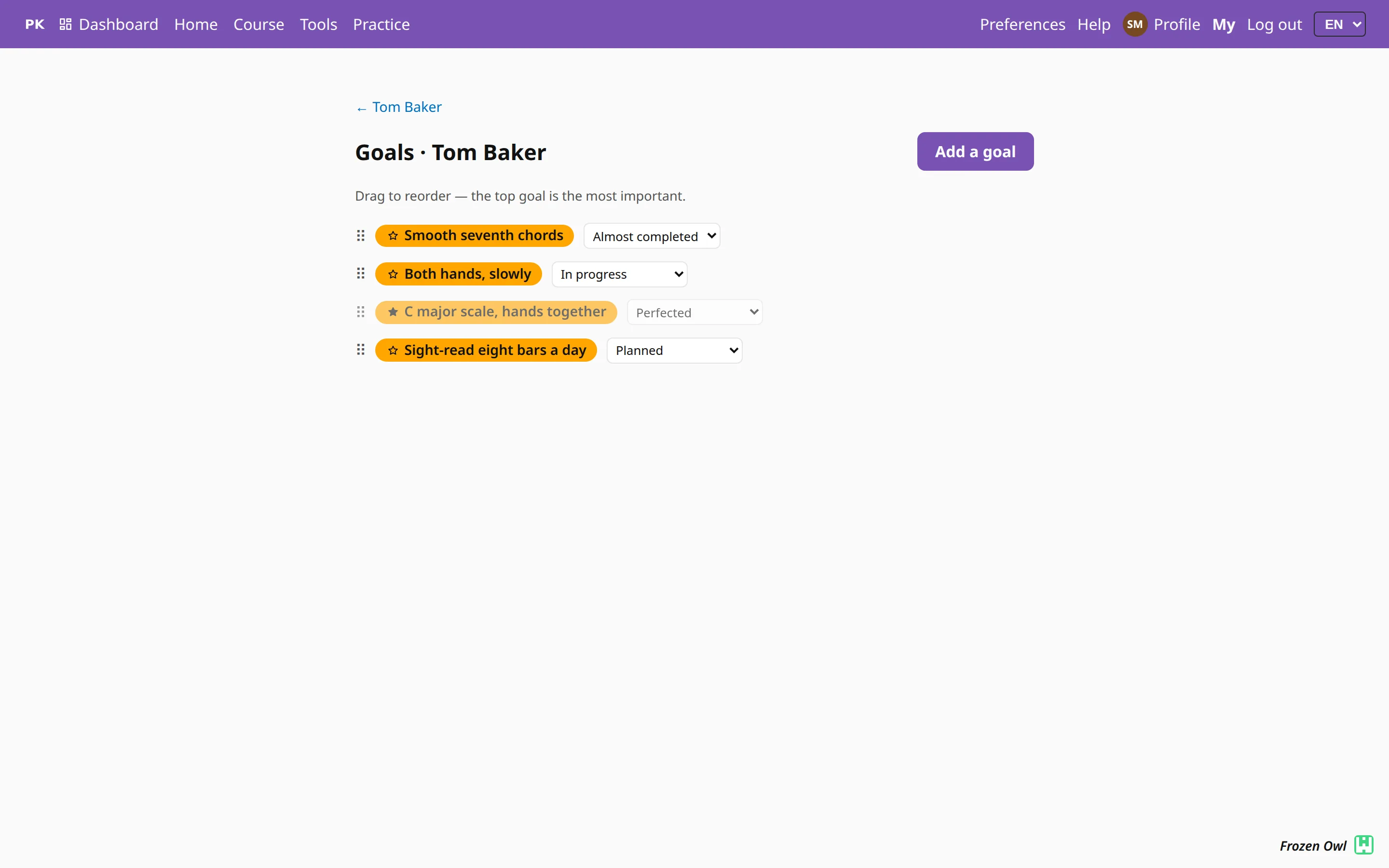
Four stages, moved by the teacher
Every goal is Planned, In progress, Almost completed or Perfected. Only the teacher moves a goal to the next stage. The app never marks something as mastered because a number went up; that is the teacher’s call.

Completed goals keep their star
Every goal has a star. While the goal is open, the star is an outline. When the teacher marks it Perfected, the star fills in and the goal moves behind the open ones. Finished goals stay on the list as a record of what the student has achieved.
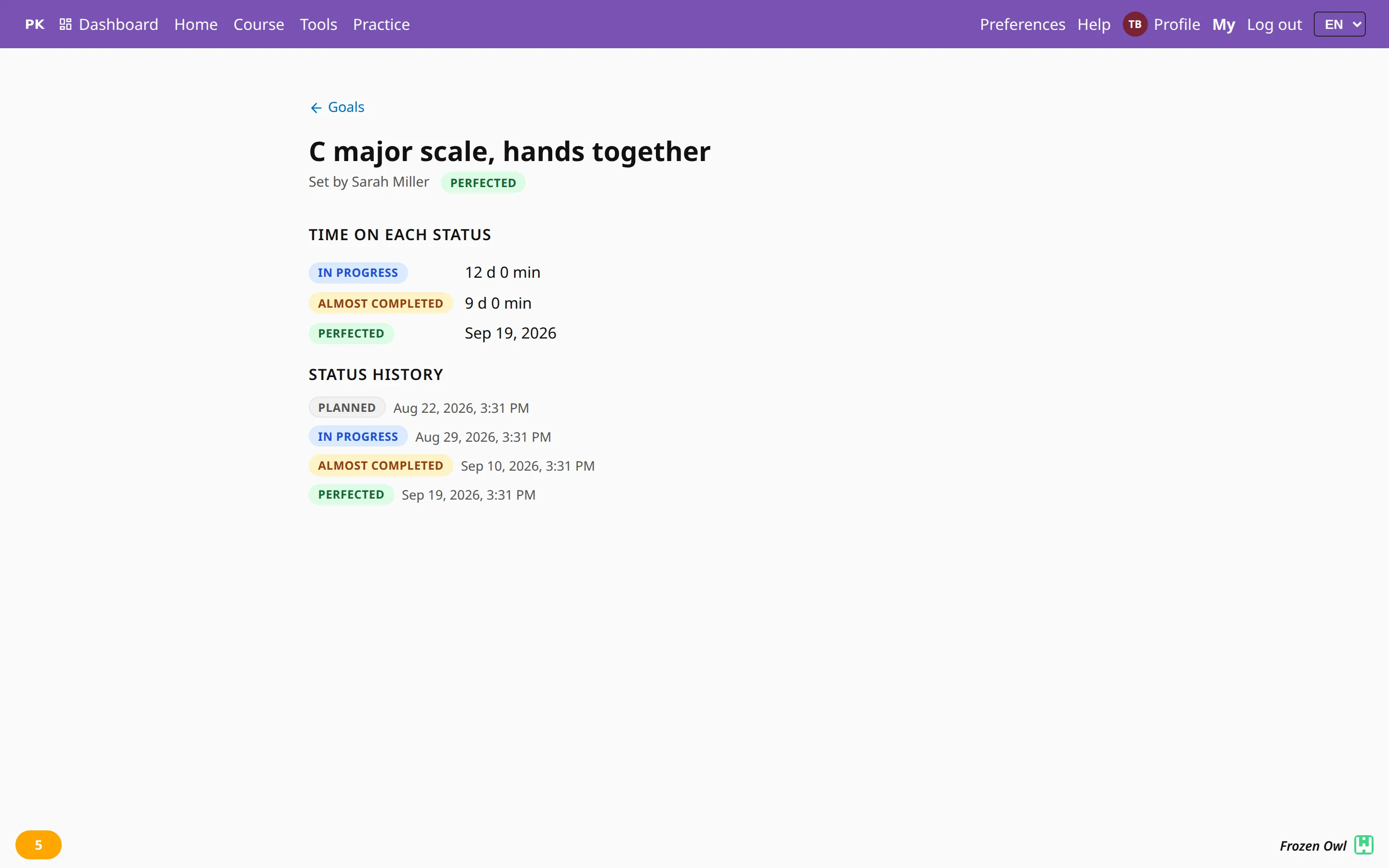
Open a goal to see its history: when it was set, when it moved from stage to stage, how long it spent at each, and the day it was perfected.
Everyone sees the same goals
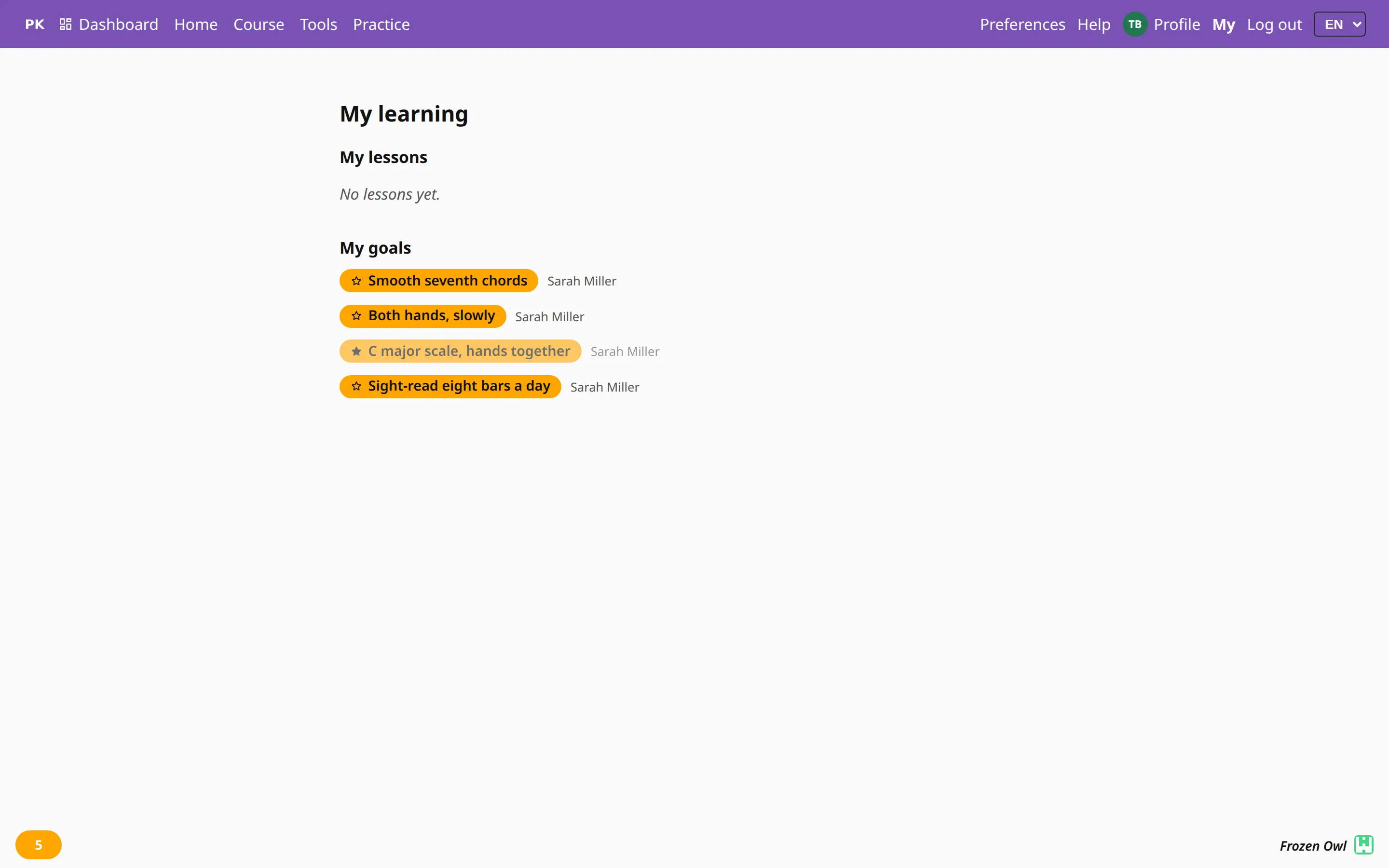
- The student finds them under My learning, with the name of the teacher who set each one. Students can read their goals but not edit them.
- Parents see their child’s goals, and the top one also appears on the family page.
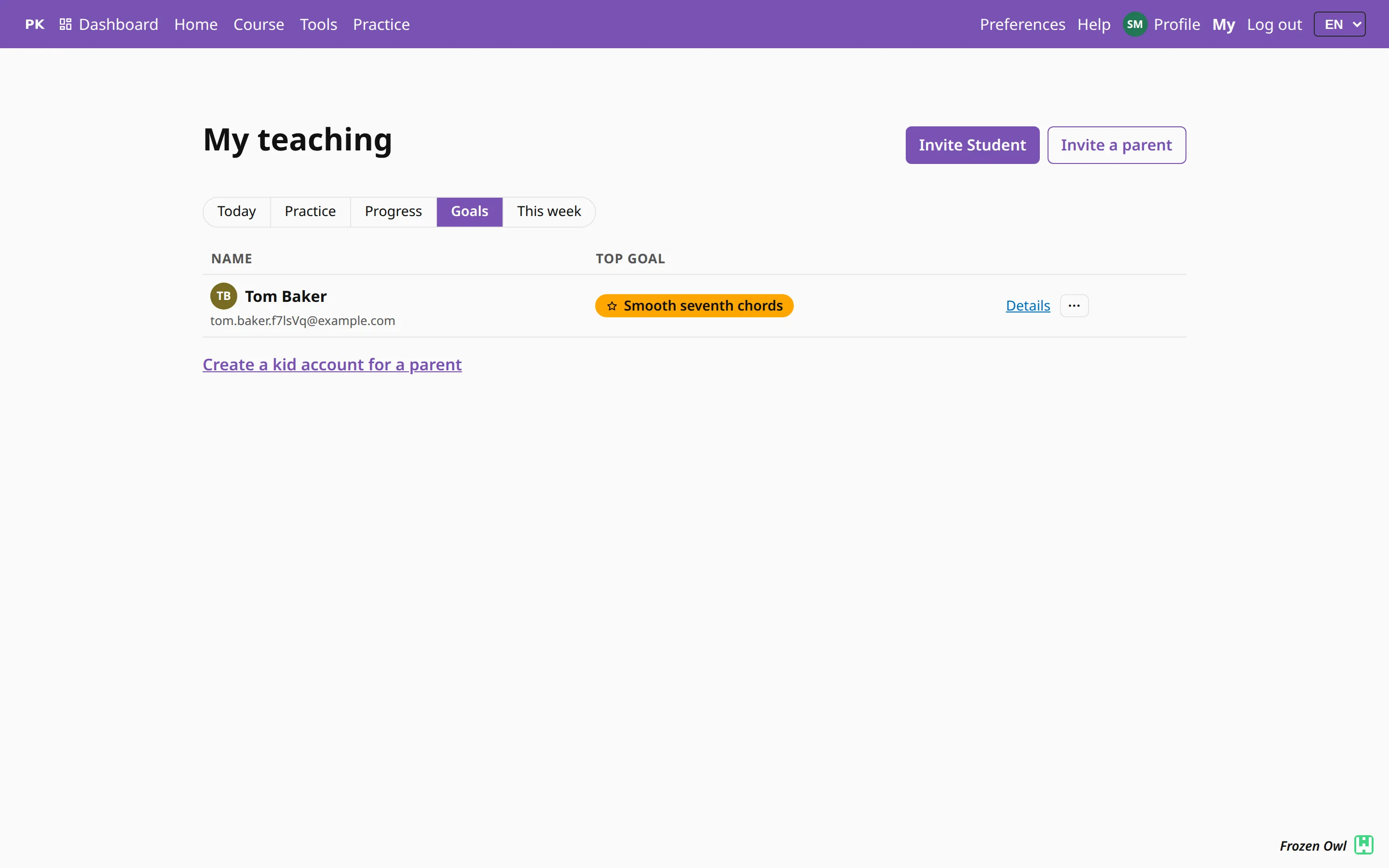
- The teacher sees each student’s top goal on the roster, on the student’s profile and when planning a lesson, since every lesson is for one or more goals.
The student hears when a goal moves
When the teacher moves a goal to a new stage, the student gets a message on their dashboard and, depending on their settings, a phone notification or an email. See notifications.
