What the app tells you, and when
Practice reminders while your streak runs, and a card when your teacher shares a lesson. You choose if they reach you on this device, by email or not at all.
The practice reminder
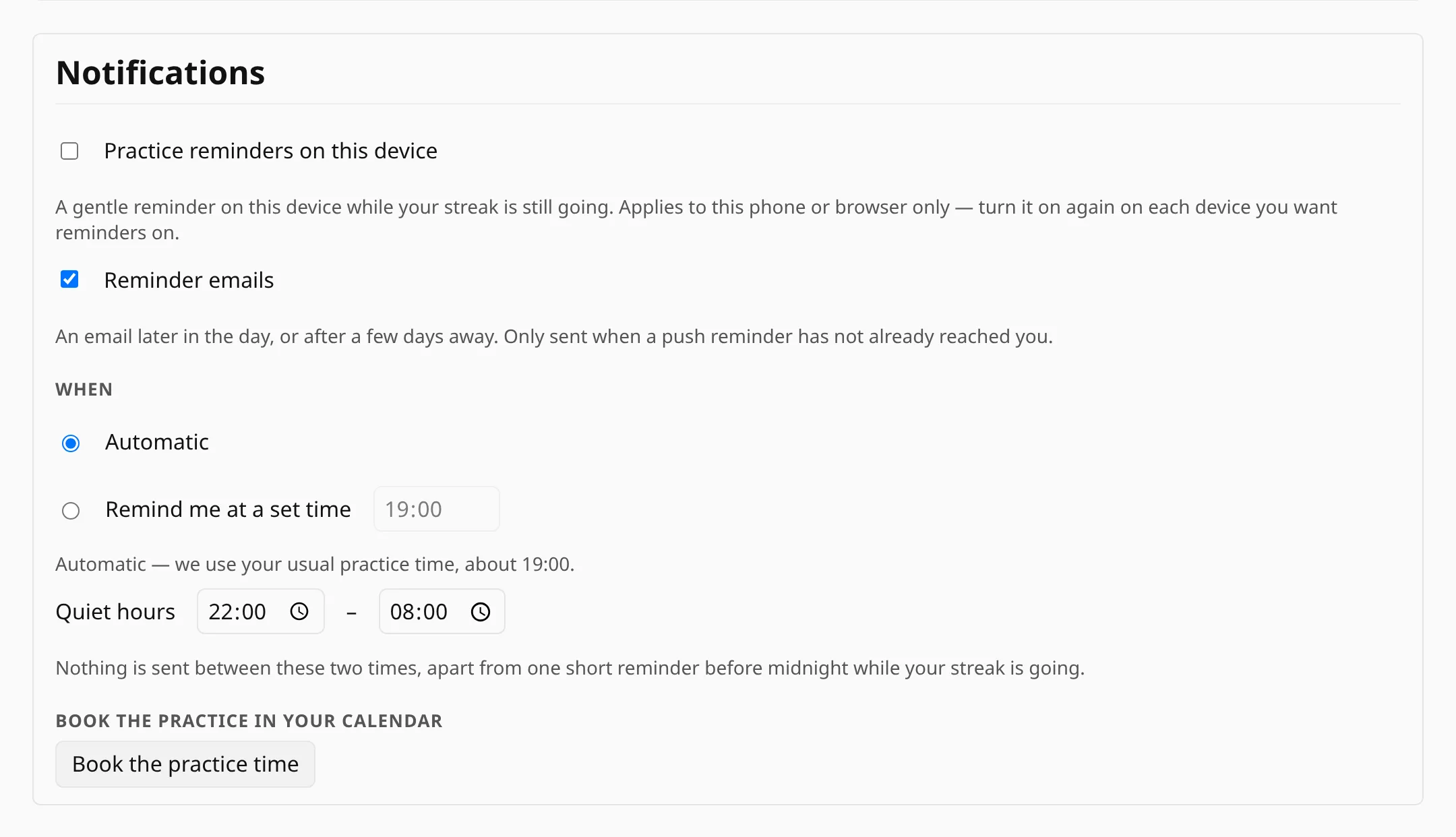
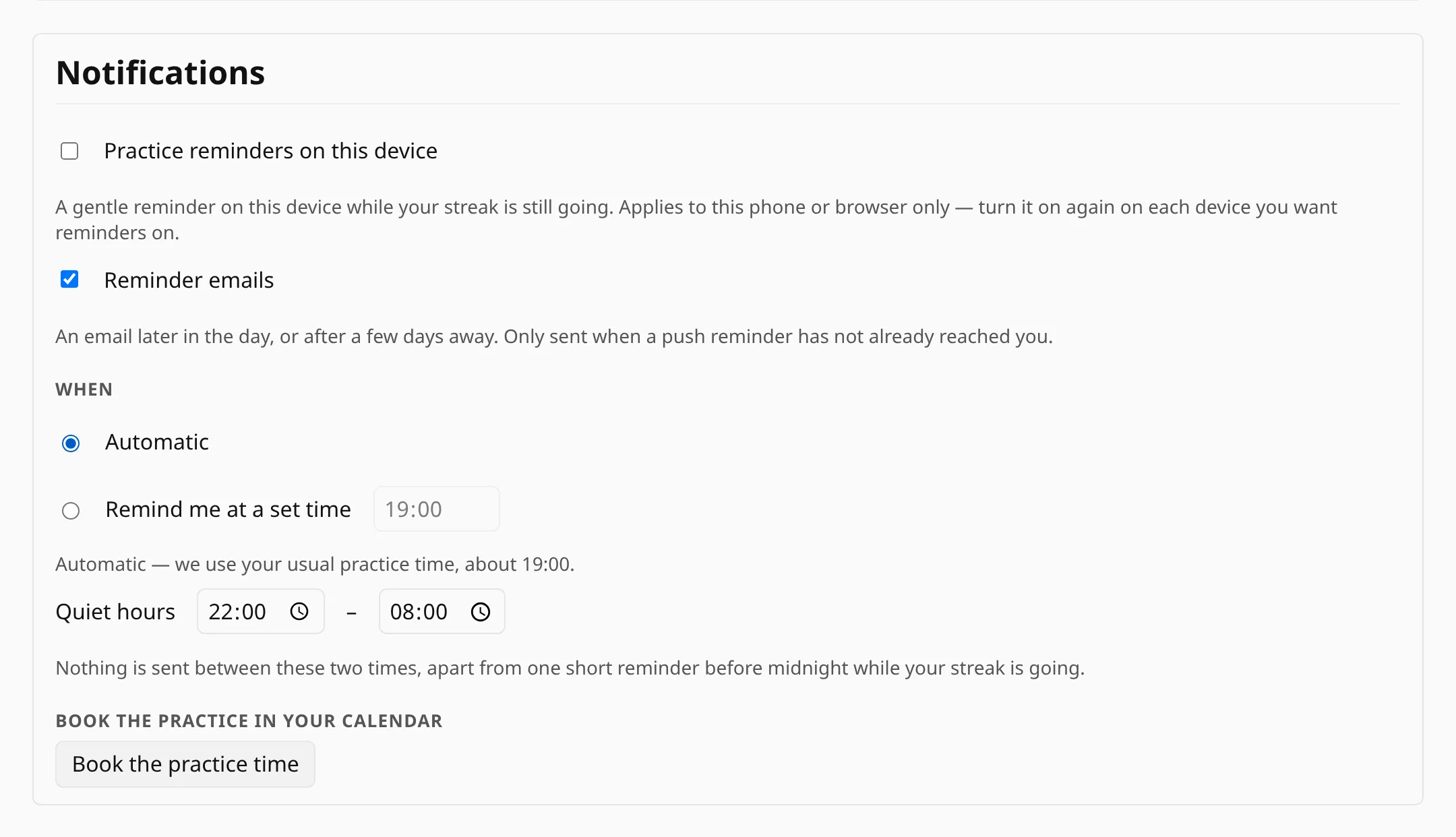
Streaks usually break because the day gets away from you. A reminder is a single line at the right hour, on the device you practice with, or in your inbox if the notification did not reach you.
Notifications are set per device, so you can turn them on for the tablet by the piano and keep the laptop quiet. The email is a fallback and goes out only when the notification has not reached you.
When a reminder is sent
Pick a time, or let the app work one out from when you usually practice. Quiet hours keep reminders away during the hours you choose, and on a day you have already practiced, no reminder is sent.
On an iPhone or iPad, notifications work only in the installed app, so add it to the home screen first (see On a phone).
Put the practice in your calendar
Besides reminders, you can put the practice in your calendar. Signed in, open Preferences → Notifications and press Book the practice time. It offers Google Calendar, Apple Calendar (a .ics download) and Outlook, and lists first the one that matches your device.
The event lasts 30 minutes and starts at your set reminder time, or at 19:00 if the reminder time is on Automatic. It begins today if that hour is still ahead, otherwise tomorrow. Google and Apple Calendar repeat it daily; Outlook gets a single event, so set the repetition there. Once added, the event belongs to your calendar: changing the reminder time later does not move it.
Messages from people
Other notifications come from people: a teacher shares, starts or ends a lesson, or someone invites you as a friend, a student or a child. These arrive as cards on your Dashboard, each with a link to act on, and disappear once you have dealt with them.
They can also reach you outside the app: first as a notification, and later by email only if the notification went unopened.

What you control
- Reminders are off until you turn them on, separately on each device.
- Every reminder email has an unsubscribe link, and switching the setting off stops them straight away.
- There is no marketing mail. The app writes to you only about your practice and the people you are connected with.
- What a teacher or parent is told about you is set separately, in Who sees what on People.