The lesson log
Notes on what was said, a list of what was played and the plan for next week — written during the lesson and kept for teacher and student.
Written during the lesson
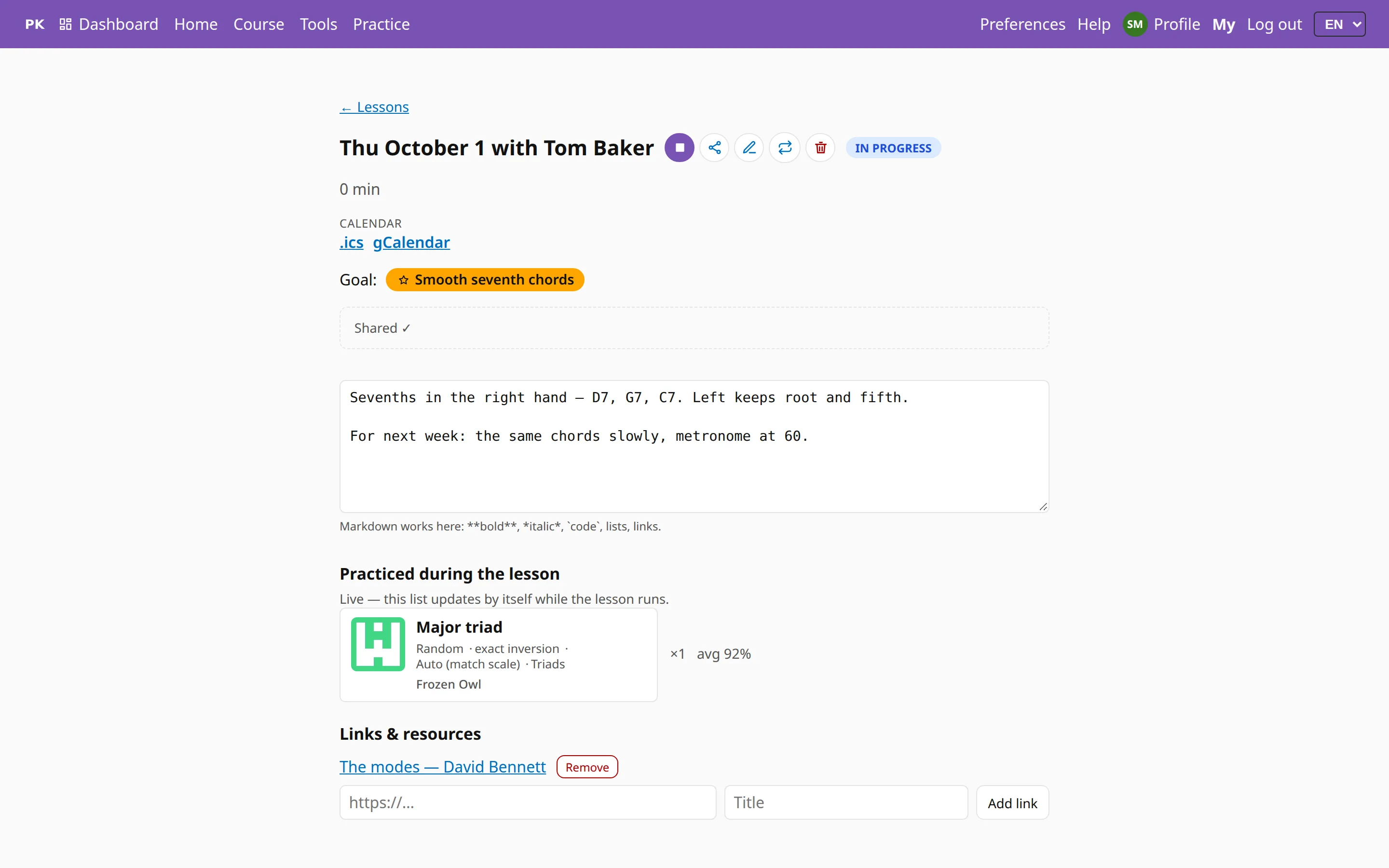
The log has one page per lesson: the date, the student, the goals the lesson covered, and a notes field that saves as you type, so there is no Save button to press at the end of the hour.
The notes support Markdown, so lists and links keep their formatting.
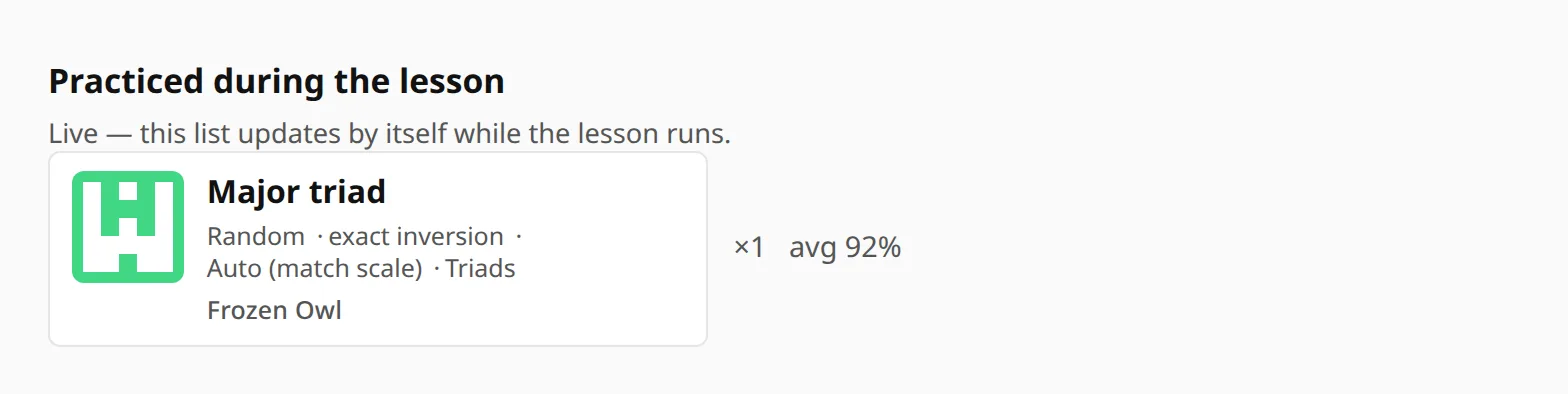
The practice list fills itself in
Below the notes is a list that nobody has to write: every exercise the student played during the lesson, how many times, and the average accuracy. It updates while the lesson runs.
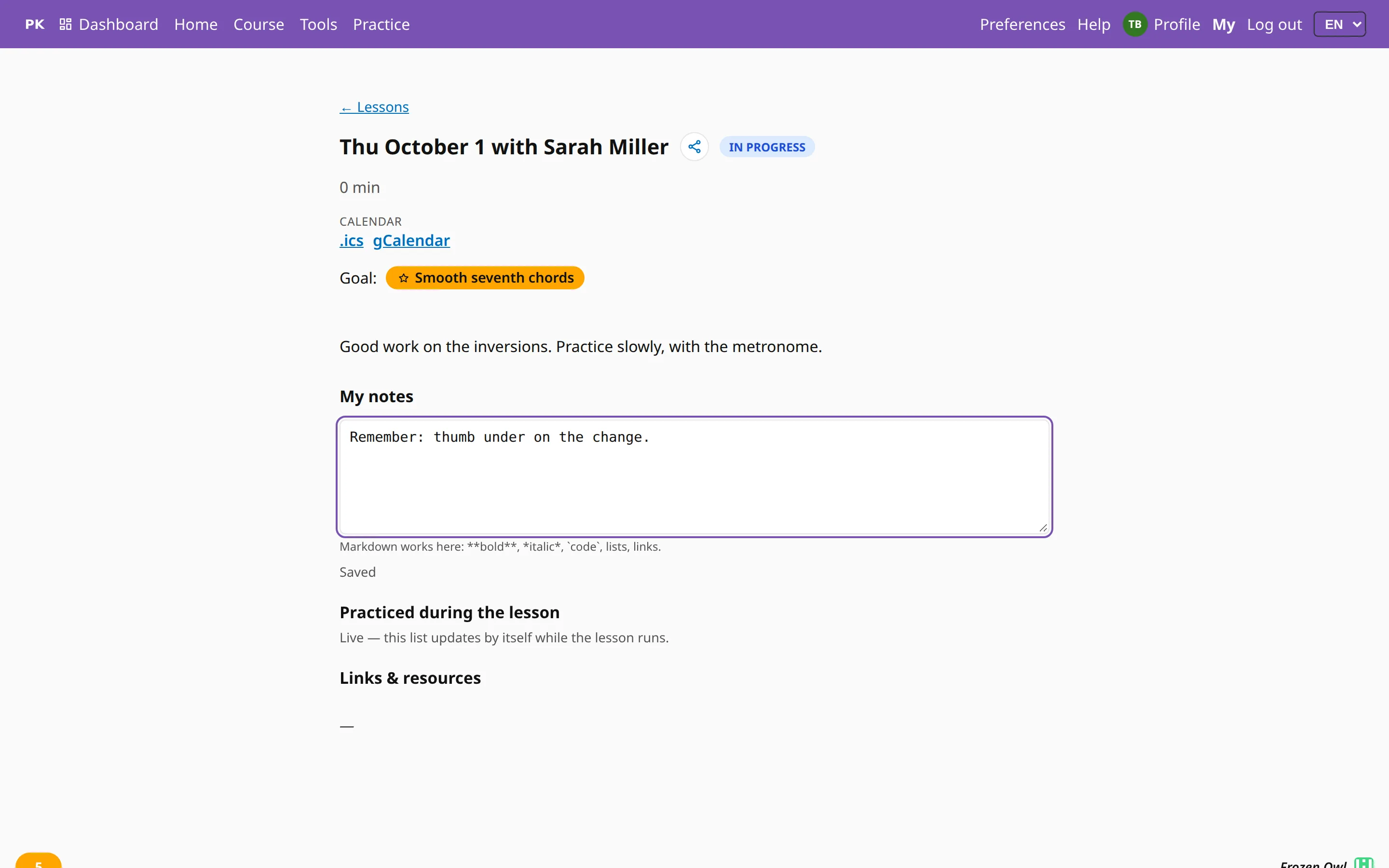
The student’s copy
The student sees the same page: your notes, the goals and the exercises, plus a notes field of their own that only they can write in. You both work in the same document.
Links, resources and a page for the parents
Attach what the lesson referred to: a video, a score, a tutorial. The Lesson resource bookmarklet adds the page you are looking at to the running lesson with one click, without leaving that page.
If someone without an account should see the lesson, such as a parent or another teacher, Copy link creates a read-only page for this lesson. Disable link turns that page off again.
Forgot to press End? A lesson closes itself once the practice stops, so it does not pick up tomorrow’s playing.