When is an exercise done?
You decide: after how many passes, whether a pass with a mistake counts, and what happens then — mark the exercise as done, or move on to the next key.
The loop counter
A pass is one full run through the exercise: the whole scale, or the whole progression. The Loops counter in the stats row counts the passes you finish without a miss. A mistake sets it back to zero, so the number says how many clean passes you have in a row.
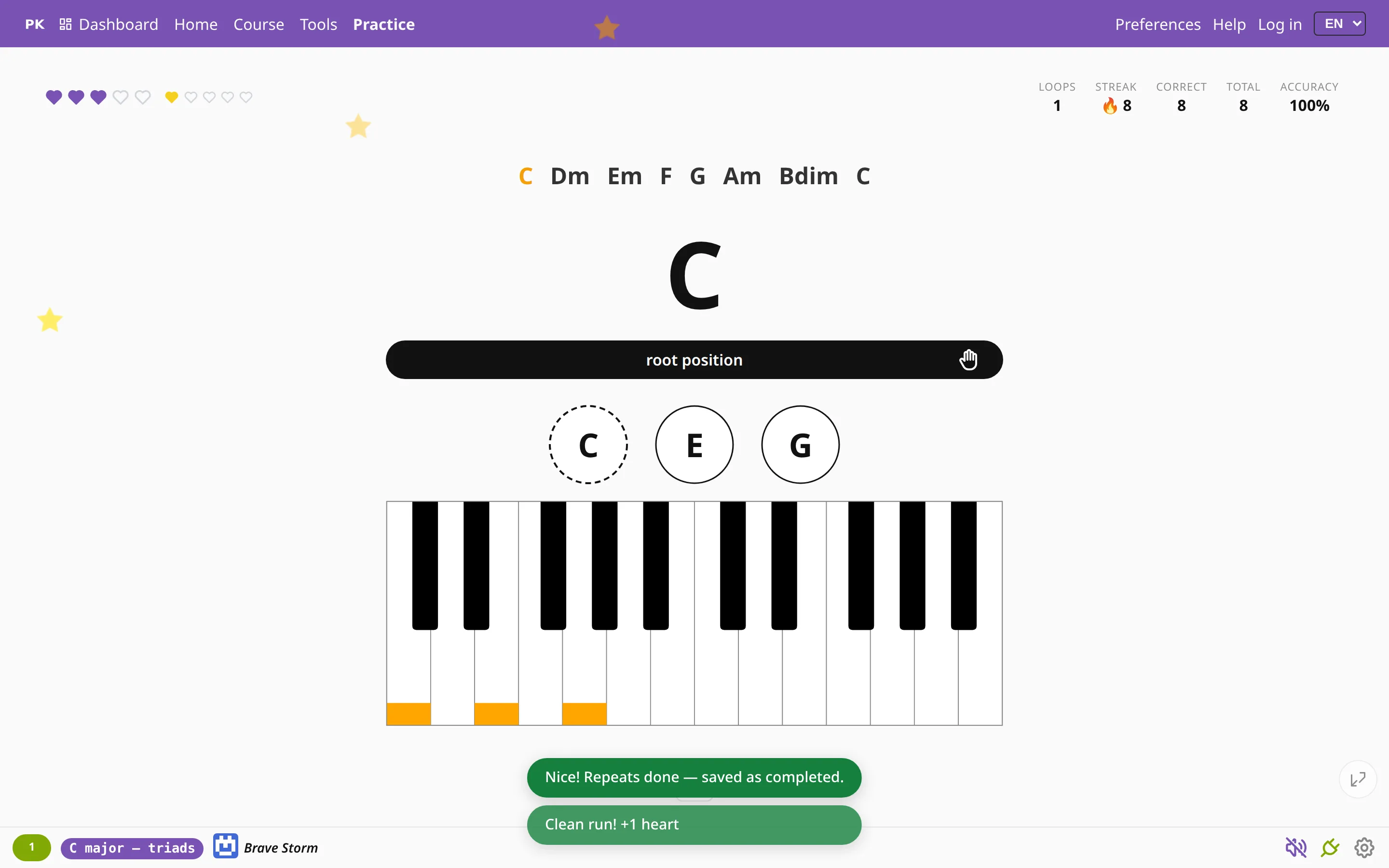
Choose when it counts
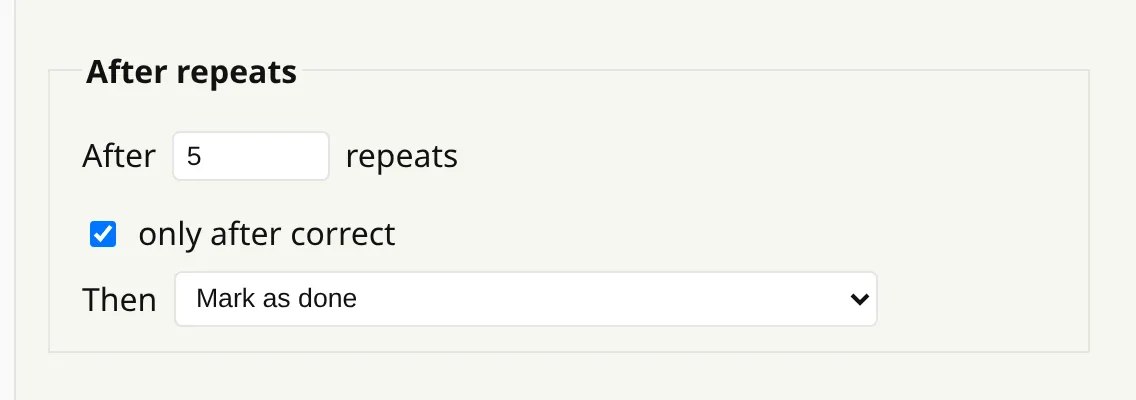
The Scales and Progressions tabs in Preferences each have an After repeats section, with separate settings for each tab:
- After N repeats: how many passes it takes, for example 5.
- Only after correct: ticked, only clean passes in a row count; unticked, every finished pass counts, mistakes or not.
- Then: mark the exercise as done, or move on to the next key.
Marked as done
With Mark as done, the app saves the exercise as completed once you reach the number of passes, as long as your accuracy in that session is at least 99%. You see “Nice! Repeats done — saved as completed.” and can keep playing; nothing interrupts you.
If your accuracy is lower, the app says so, for example “Repeats done — 94%, 99% needed to complete”, and a later clean pass can still complete it. Completed exercises count toward your badges and your progress in the course.
Or move on to the next key
Pick a direction under Then instead, and after the set number of passes the exercise moves to the next key: round the circle of fifths either way, or chromatically up or down. That is how you practice something in all twelve keys.