Turn the staff to match the keys
On a staff higher notes go up, and on a keyboard they go to the right. Give the staff a quarter turn and both run in the same direction.
The staff and the keyboard point different ways
When you read music at the piano, the staff and the keyboard point in different directions. On the staff a higher note sits higher; on the keyboard the same note is further to the right. With every chord you read, your eyes move up while your hand moves sideways.
Experienced readers stop noticing this. Beginners, and anyone learning to read chords as shapes, have to make that switch on every note.
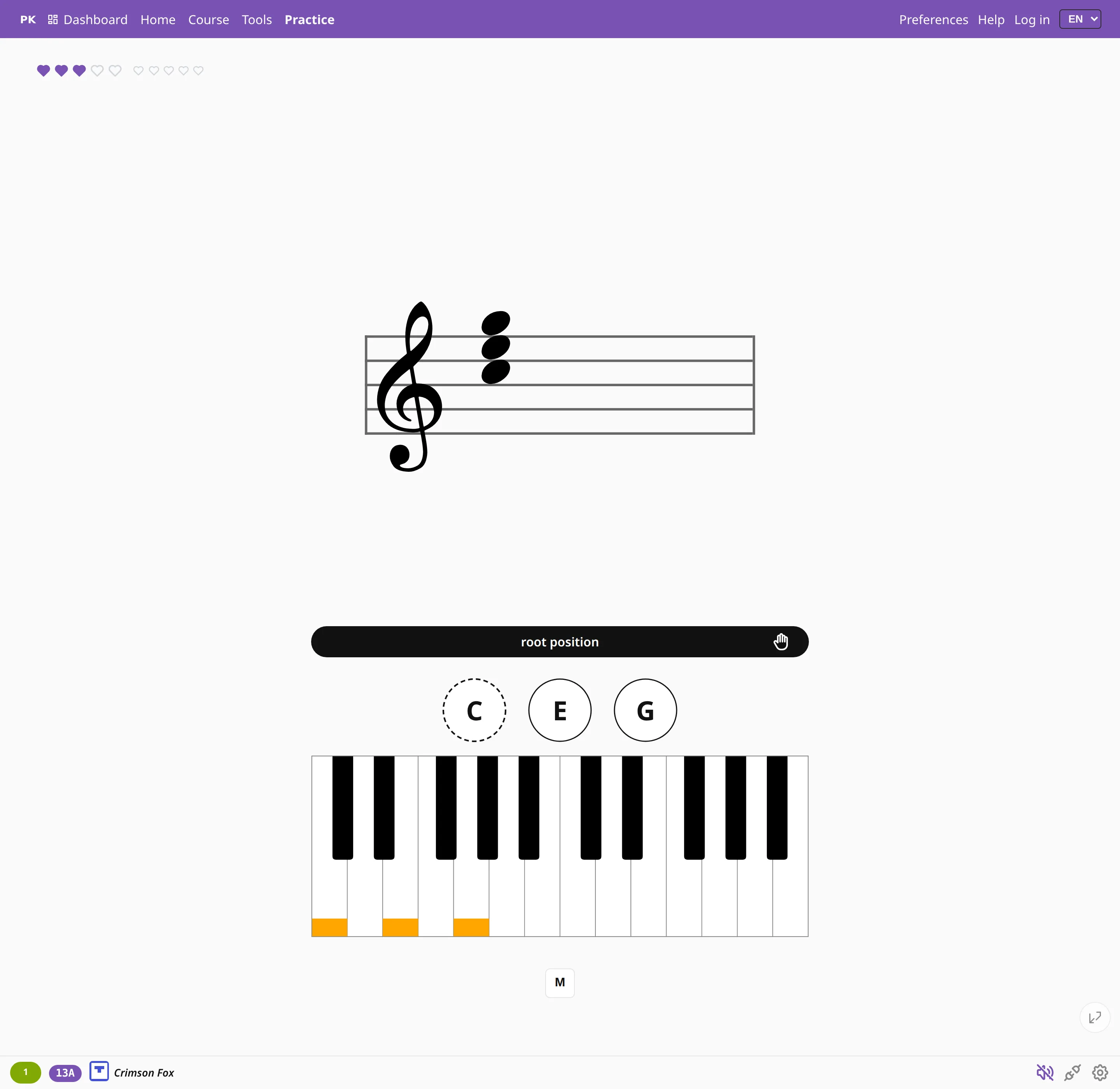
A quarter turn
Turn on Rotate the staff and the staff moves to the side of the screen, turned so that up becomes right. The lowest note of the chord is then on the left of the staff and on the left of the keyboard, so the notes are laid out the same way as the keys you play.
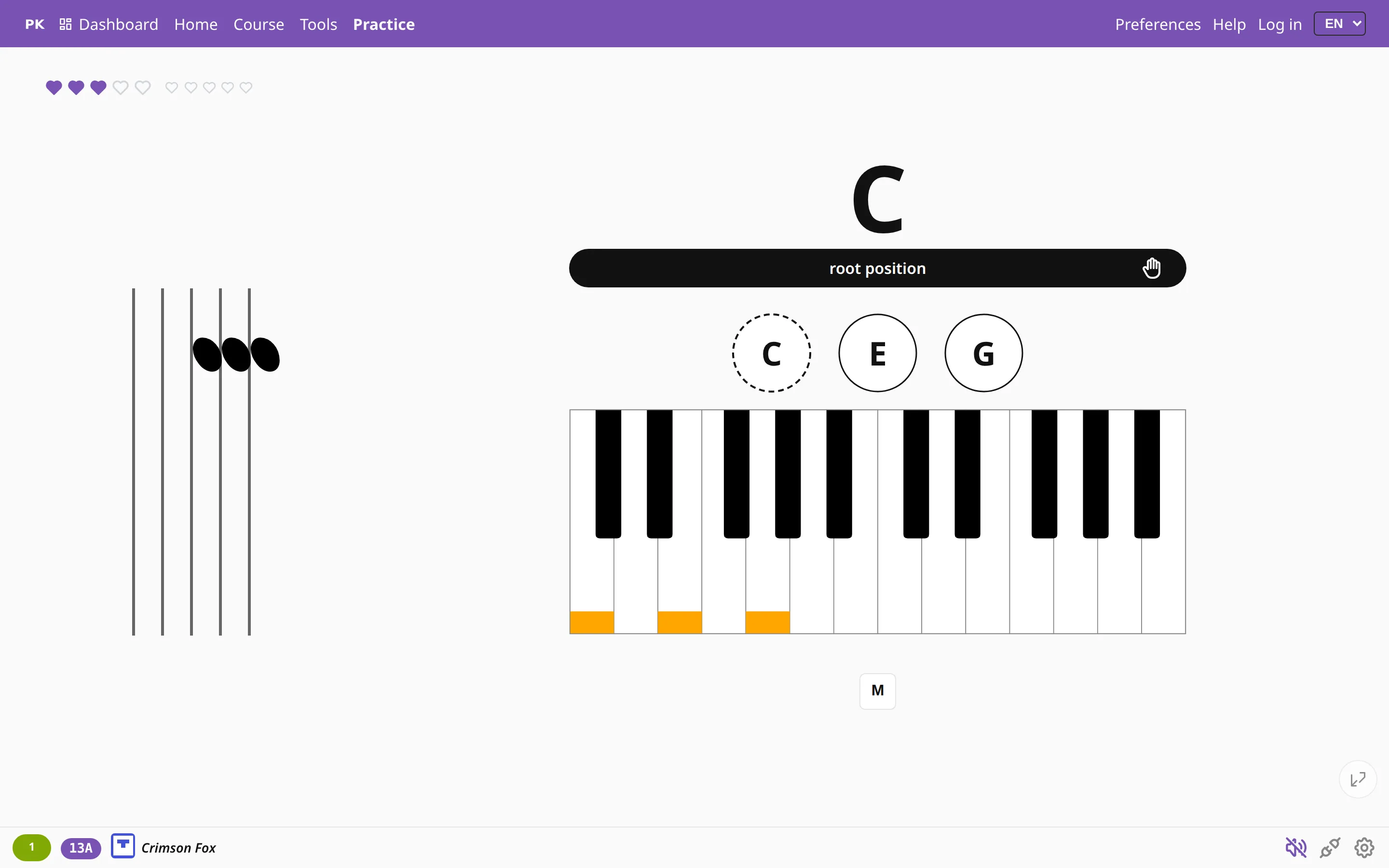
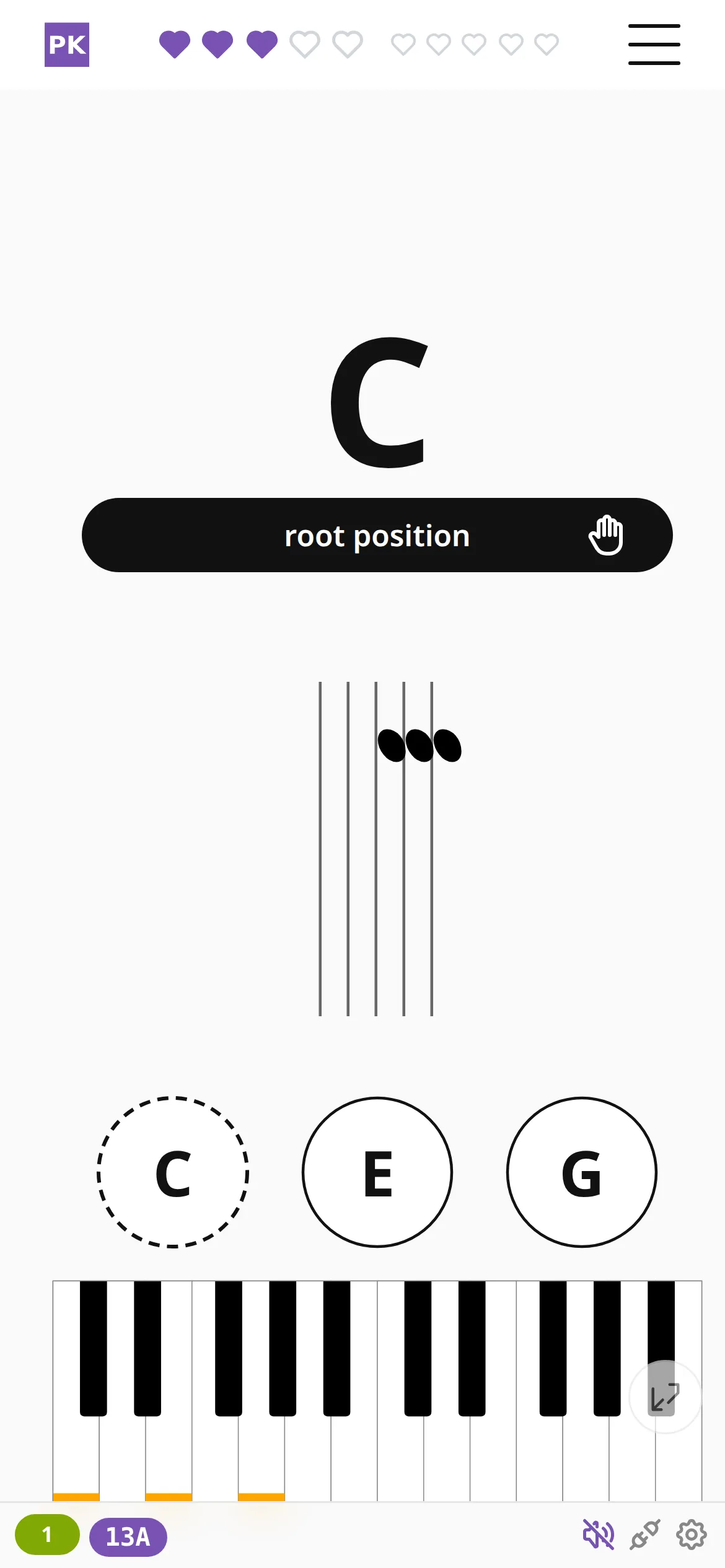
Use it as a temporary aid. Practice with the staff turned until you read chord shapes quickly, then turn it back and check how much of that speed you keep.
Where to find it
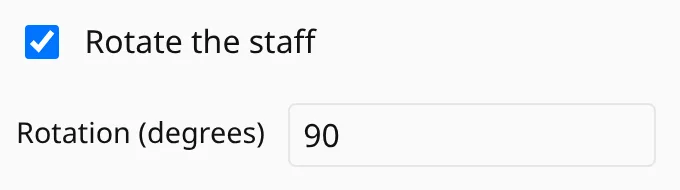
The setting is in Preferences, in the notation section next to the other staff options. It only has an effect when the question is shown on the staff. You can choose the angle: 90° is a quarter turn with the low notes on the left, and any value from −180° to 180° works if another tilt suits your eye better.
The rotation is one of your display settings, so it is never included when you share an exercise.
While the staff is turned, scale exercises show only the current chord instead of the whole scale.