Random chords + levels
Pick the chord qualities you want and PianoKitty asks for them in random keys, in a different order every time.
A new chord every time
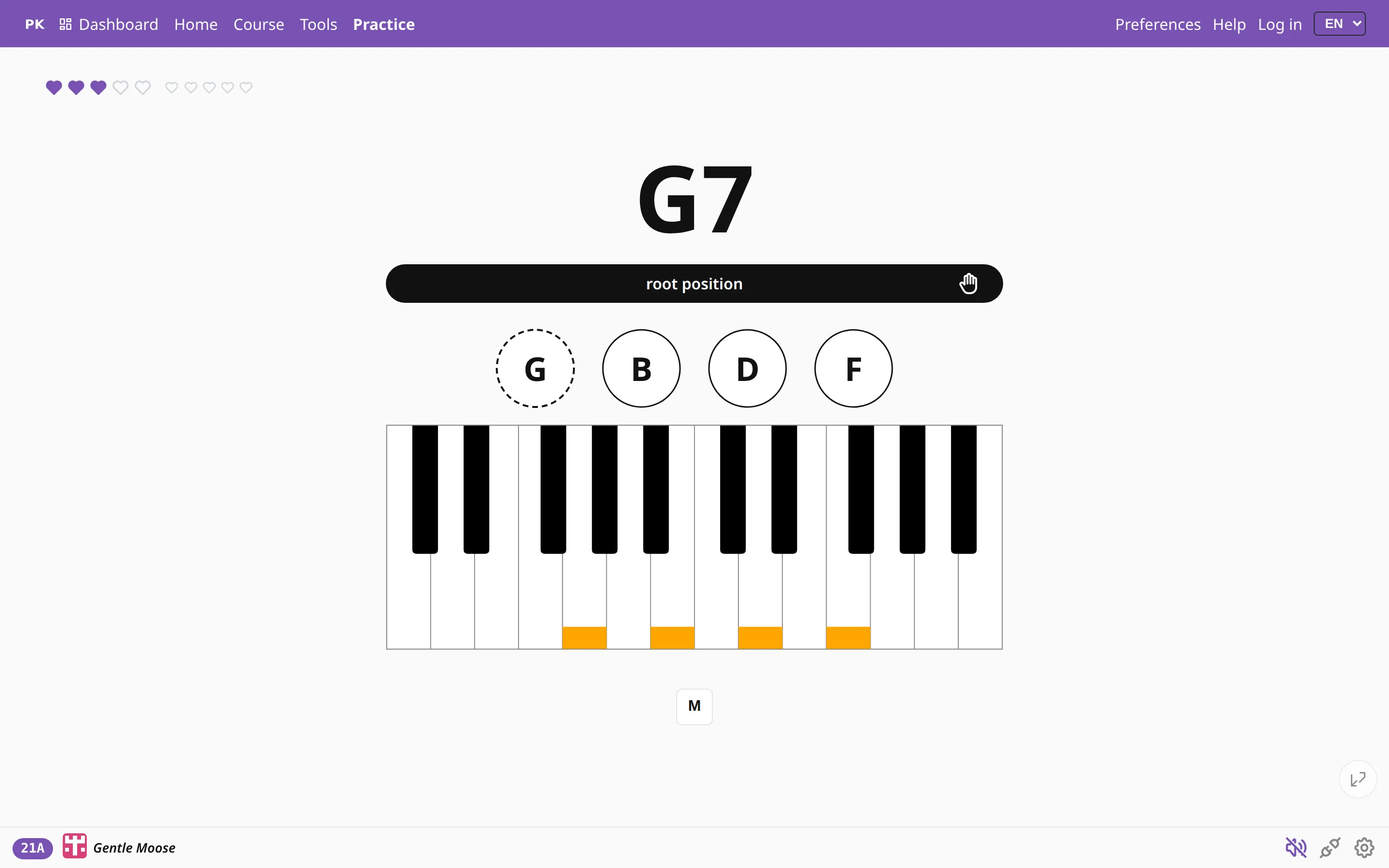
If you always practice chords in the same order (C, F, G…), your hands end up remembering the order more than the chords. Here the app names a chord, you play it, and the next one is drawn at random from the chord types and roots you picked.
With a MIDI keyboard connected, the app hears what you play and moves on once the notes are right. Without one, the screen works like flash cards: press Space or click the chord to reveal the notes, then again for the next chord. To be graded without an instrument, try the naming quiz.
You choose the qualities
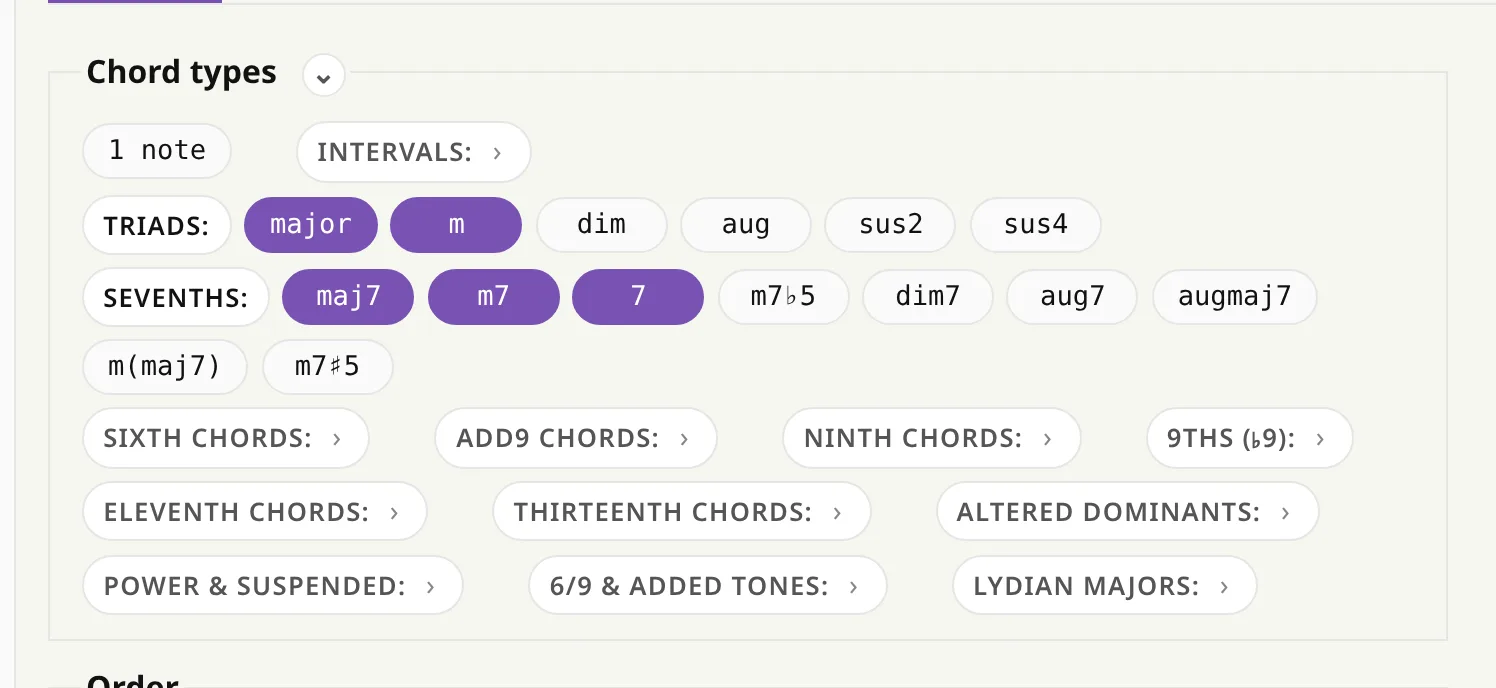
In Preferences, tick the chord types you want to practice. Major and minor are a good start. Add the sevenths once triads feel easy, and open the extended groups (ninths, elevenths, thirteenths, altered dominants…) later on. The app only asks for the types you ticked.
You can pick the roots as well. Drilling only the black-key roots gives you focused practice on chords you probably play less often.
Try a drill
Levels, one step at a time
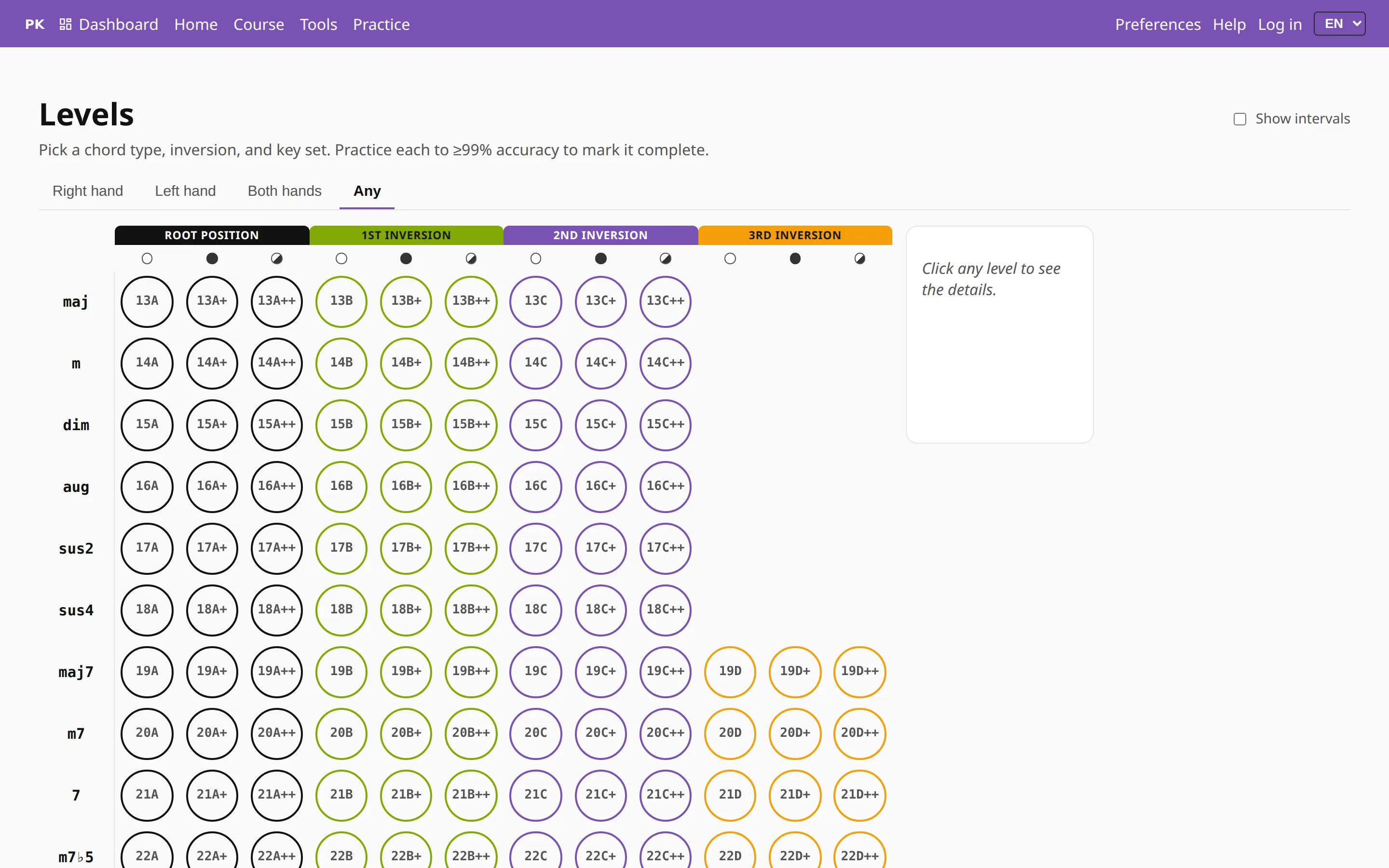
If you are not sure what to drill next, the Levels page arranges every chord type as a ladder. Each level is one chord type, one inversion and one set of roots. A is root position and B, C and D are the inversions. No mark means white-key roots, + means the black keys and ++ all twelve.
You complete a level at 99% accuracy. The badge in the corner of the practice screen shows which level you are on.
On a phone
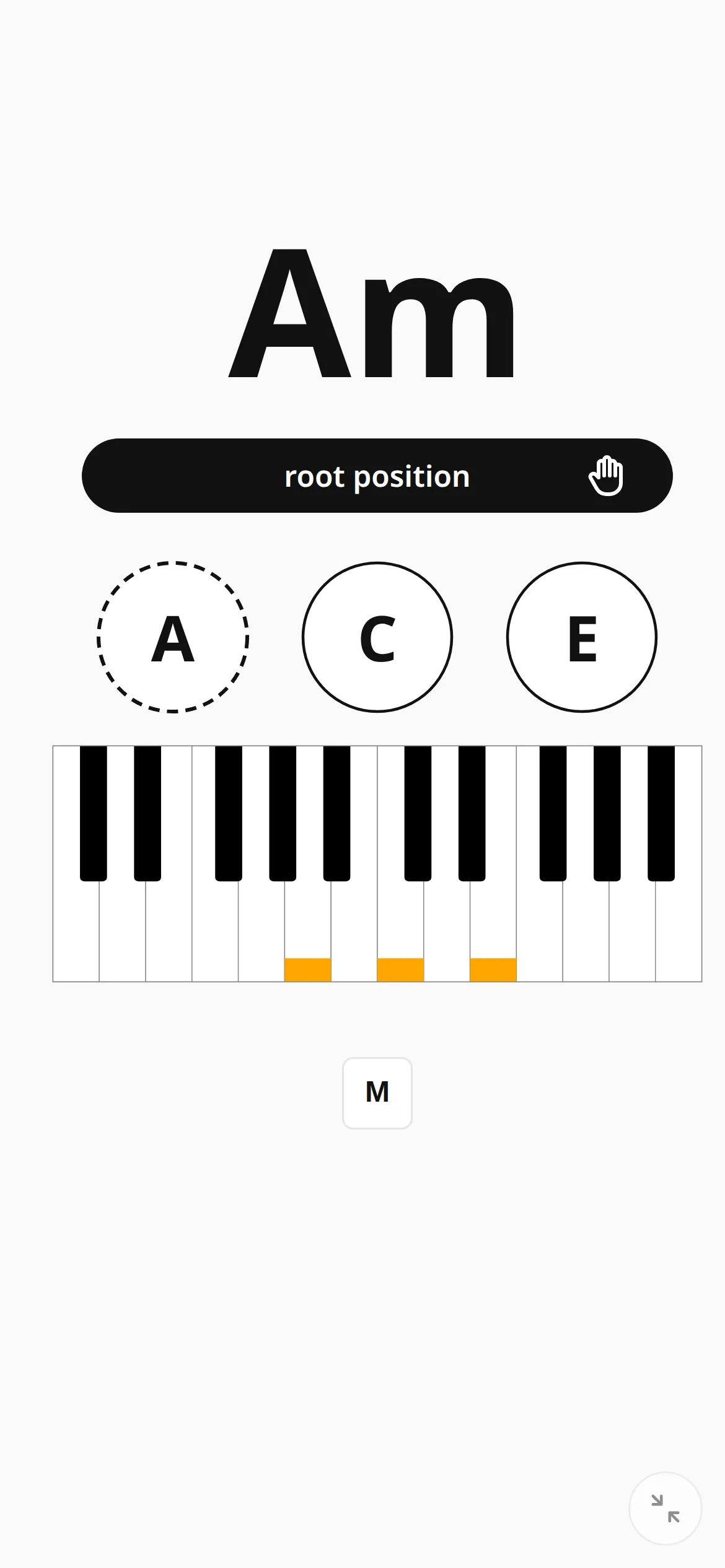
On a phone the practice screen hides the menus, so the chord takes up the full width. You can also connect a MIDI keyboard to an Android phone or tablet with a USB OTG cable, and it works the same as on a computer.