Getting started for parents
From your account to your child’s first practice, step by step: sign up, add your child and check their progress.
What it does for a family
Your child practices piano chords and scales in short drills.
You see their minutes, streak and goals.
The For parents page has the longer tour.
Your account
Add your child
On My family you have two options.
- Create a kid account if your child has no email. Fill in the name and a password (min 4 characters). Leave Parent's email empty.
- Invite a child who has their own email address. Enter it and press Send invitation. They accept the email invitation. Then you see their week.
You can have up to 5 kid accounts.
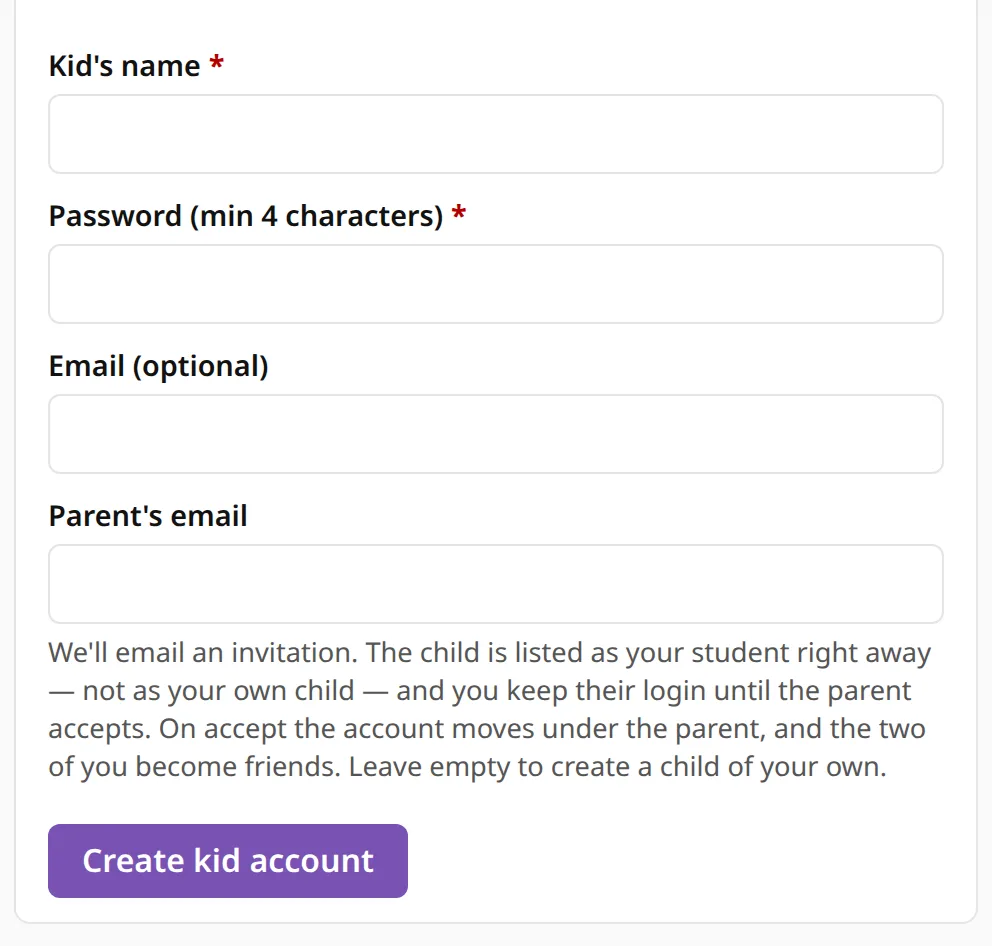
The password is shown only once. Write it down.
Your child signs in
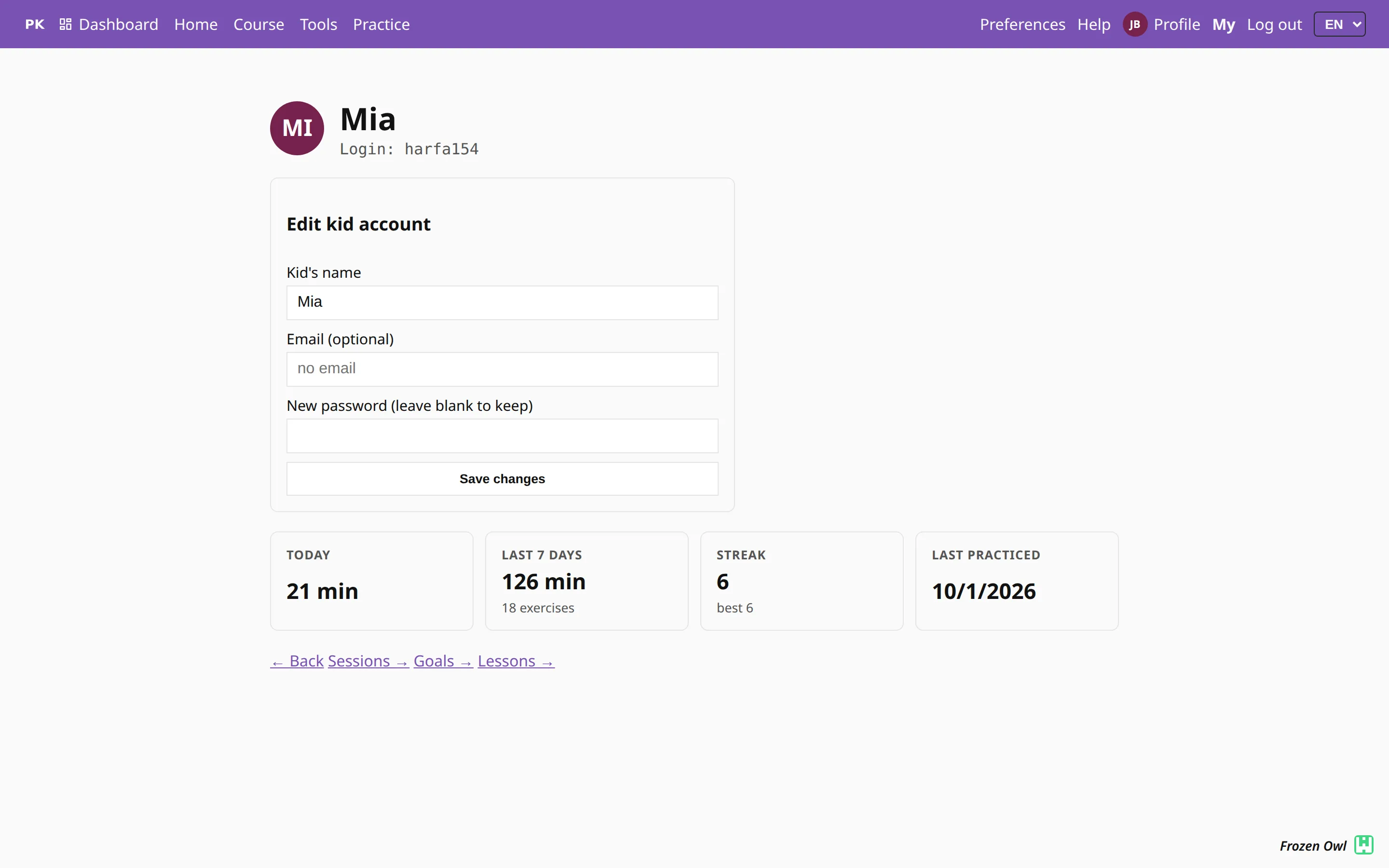
Your child opens Log in and types the full login, for example kot482, in the Email field. Then the password.
The login is on My family.
Check progress
My family shows one row per child: week minutes, exercises, streak, coins, last practiced and top goal.
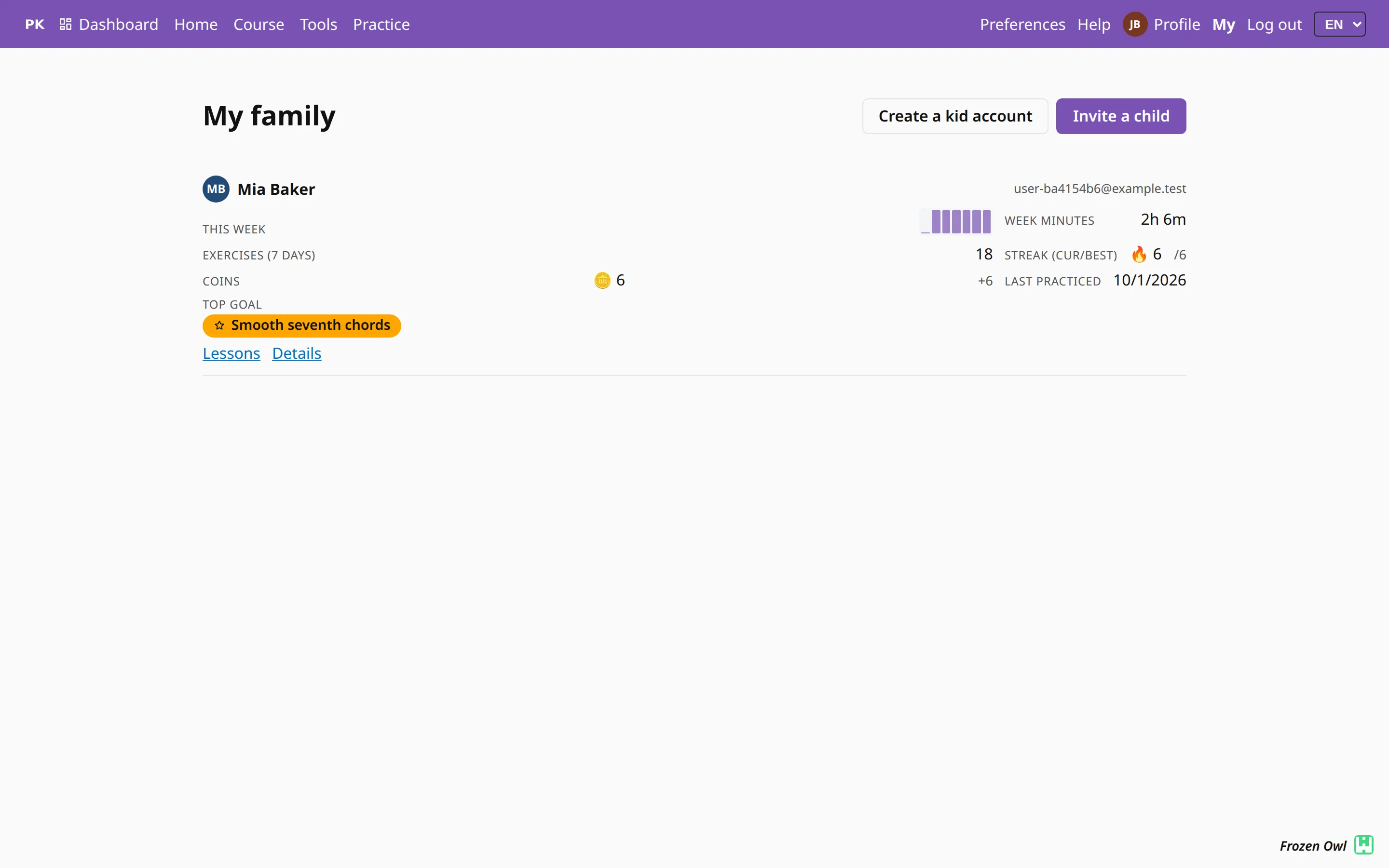
Open a kid account with Edit for the child’s page: sessions, goals and lessons.
Phones and reminders
Add PianoKitty to the home screen: Android or iPhone.
Then open Preferences and turn on Practice reminders on this device.
Do this on each phone. On a child’s phone, sign in as the child first.
On iPhone and iPad, reminders work only from the installed app. Add PianoKitty to your Home Screen first.