The chord chart
The whole key in one strip above the question. Tap any cell to narrow the drill to the chords you keep missing.
Where you are, and what is coming
The chart is the row above the question: every chord of the key in order, with the current one lit. It works the same way for a scale, a progression or a song.
The big chord name tells you only what to play now. The chart also shows where you are in the piece and what comes next.

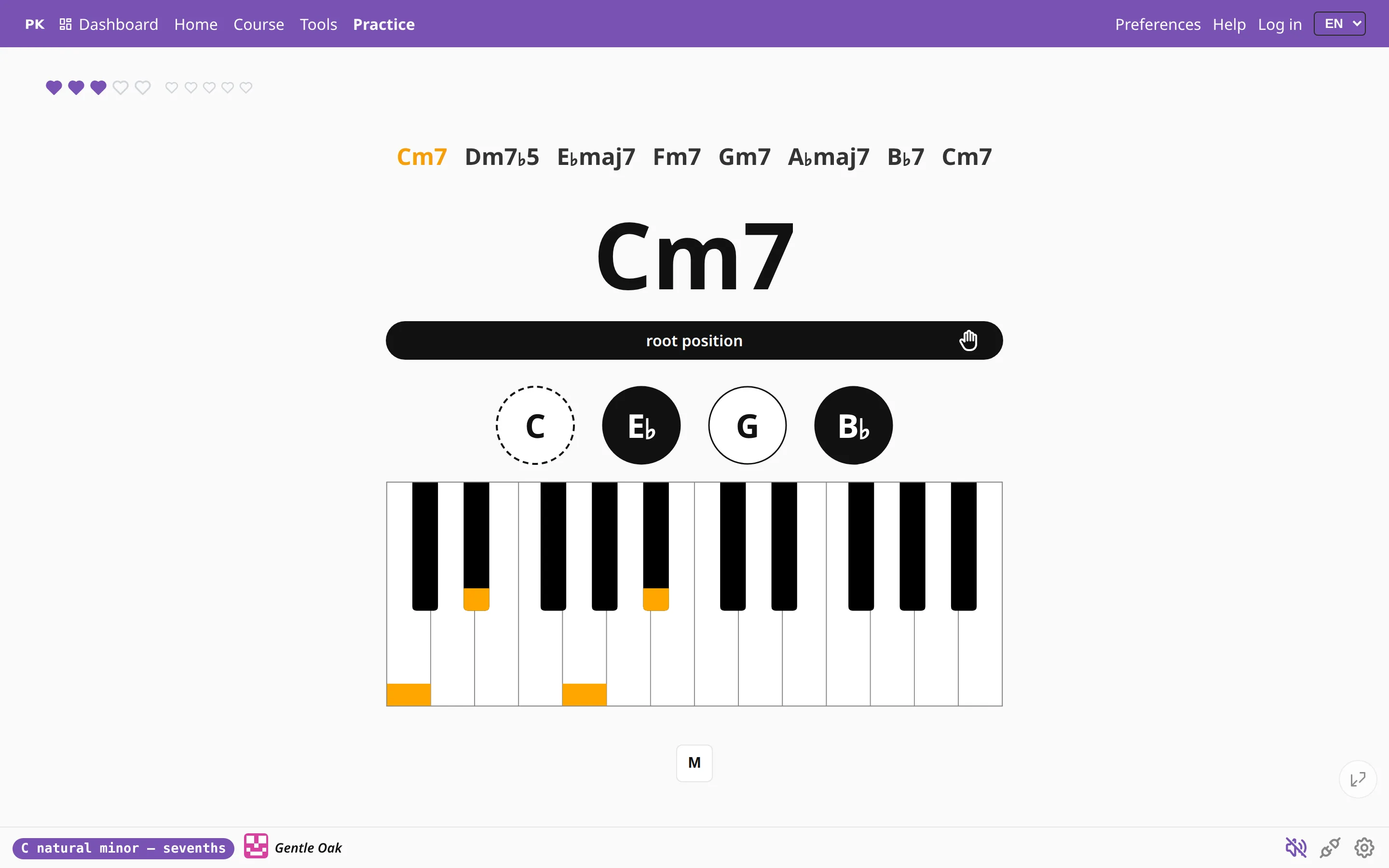
Click cells to drill only those chords
Click cells to select them, and the drill narrows to your selection. Three cells in a row might be the two bars you keep missing; two cells might be a chord change your hand finds hard.
The metronome, key tours and repeats work as before. Click the cells again to release them and the whole key comes back.

A selection can survive a key change, so you can practice the same three chords in every key without selecting them again. In Preferences you choose whether it stays through manual key changes, only through automatic ones, or not at all.
Progressive practice: chunks
For scales, the chart can be practiced in pieces. Play in chunks takes a few cells at a time and moves on only after you have played them cleanly:
- Cumulative grows the chunk: C, then C D, then C D E… This is a common way to learn a long line without practicing mistakes into it.
- Window slides a frame of fixed length: C D E, then D E F, then E F G, so the overlapping cells come round again.
A chunk is two to seven cells long. A missed note does not reset the chunk; it only keeps it from advancing.

Other details
- The chart can show inversions as C.2, or as C/E if you prefer slash chords.
- In a song, bar lines and sections are shown, so the chart reads like a chord sheet rather than a list.
- You can switch the chart on or off in Preferences, for example to see it only while you learn something new.